<?xml version="1.0" encoding="UTF-8"?>
<feed xmlns="http://www.w3.org/2005/Atom">
  <title type="text">How to Flash a New XBox 360 DVD Drive</title>
  <updated>2023-07-08T04:44:03+03:00</updated>
  <generator uri="http://rohea.com" version="0.1">Blog Integration Feed Generator</generator>
  <link rel="alternate" type="text/html" href="https://dvddrive.vuodatus.net/"/>
  <link rel="self" type="application/atom+xml" href="https://dvddrive.vuodatus.net/feeds/atom"/>
  <id>https://dvddrive.vuodatus.net/</id>
  <author>
    <name>pcdriver2011</name>
    <uri>https://dvddrive.vuodatus.net/</uri>
  </author>
  <entry>
    <title type="html"><![CDATA[Games Car Headrest DVD Players With 2 Wireless Joysticks]]></title>
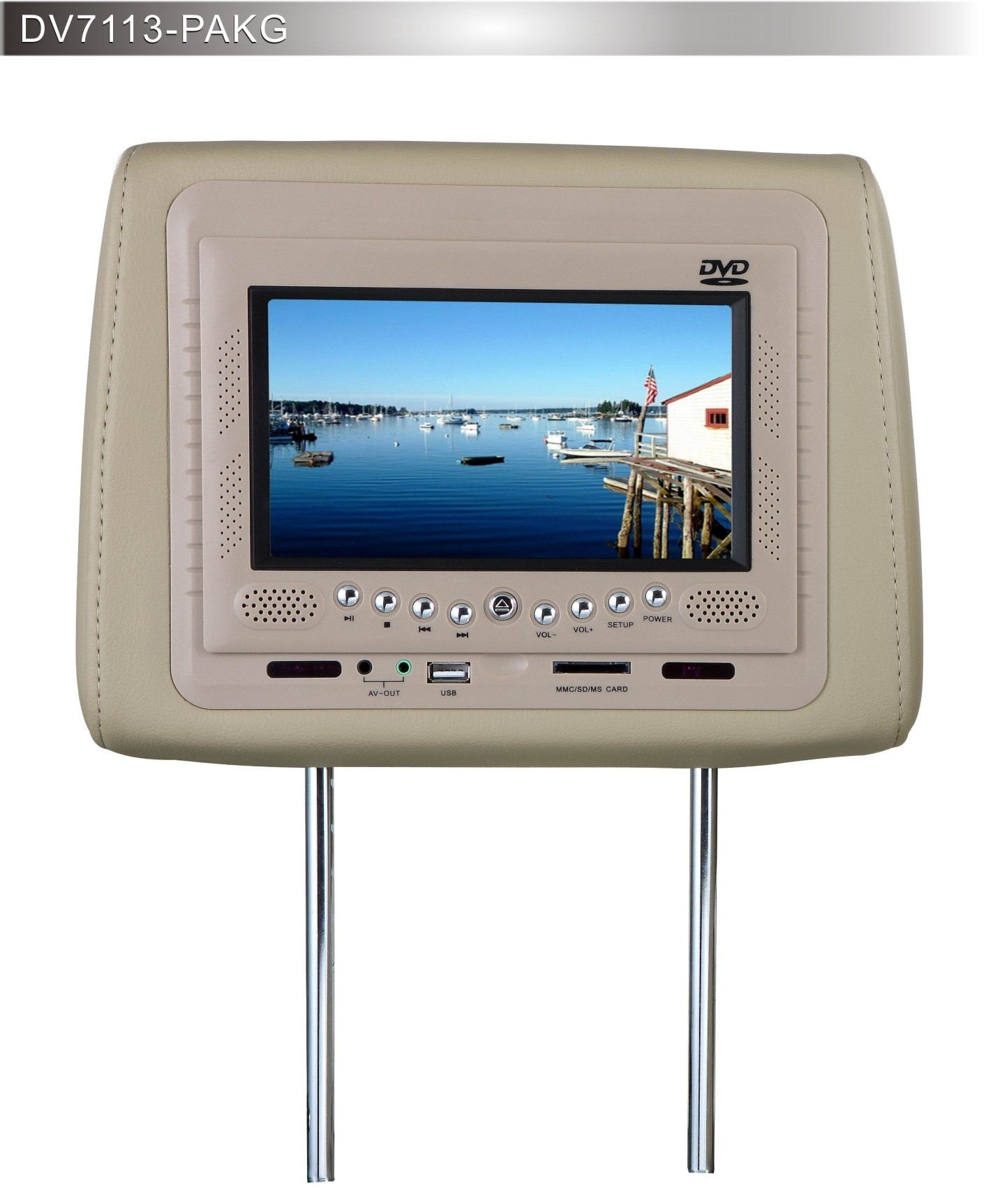
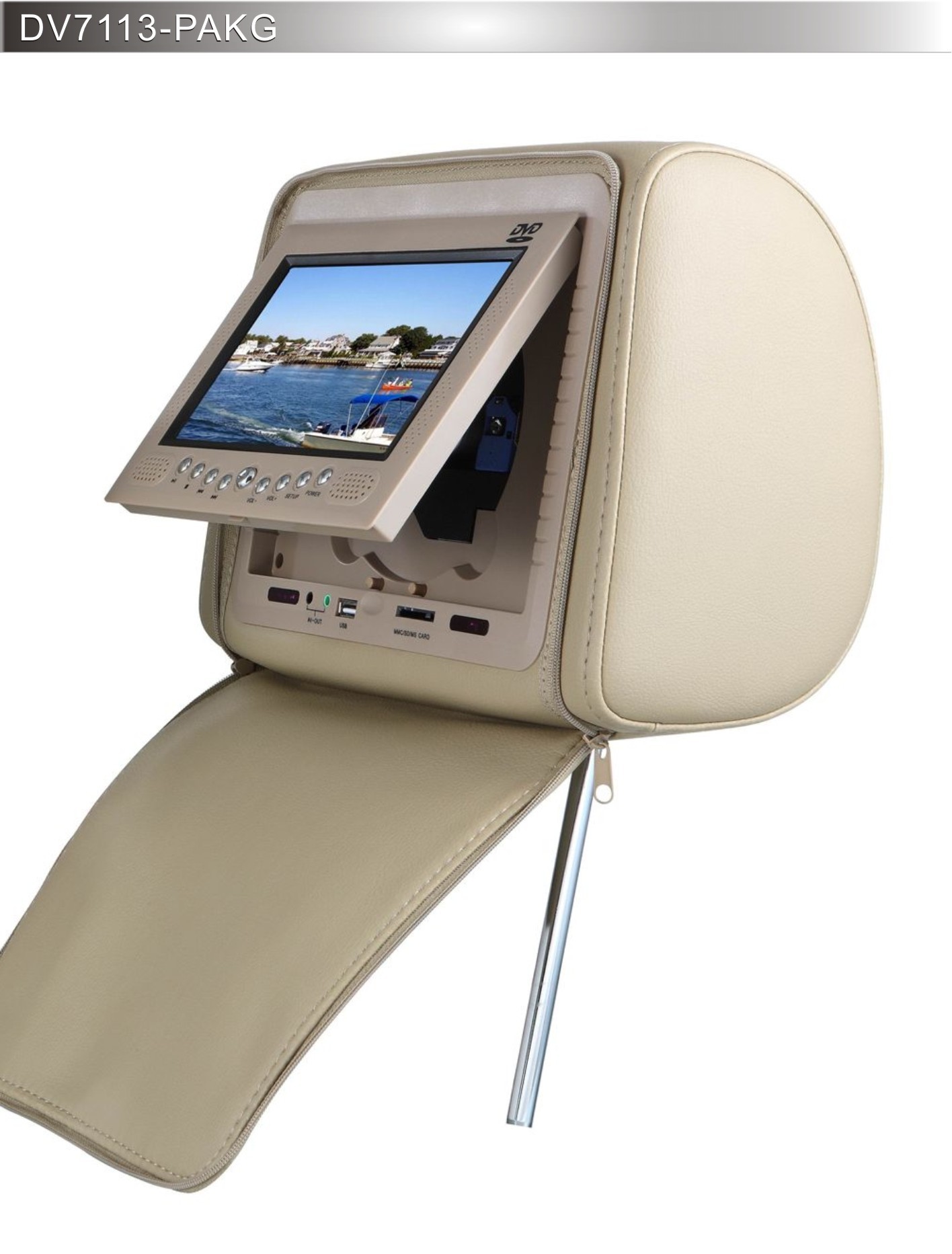
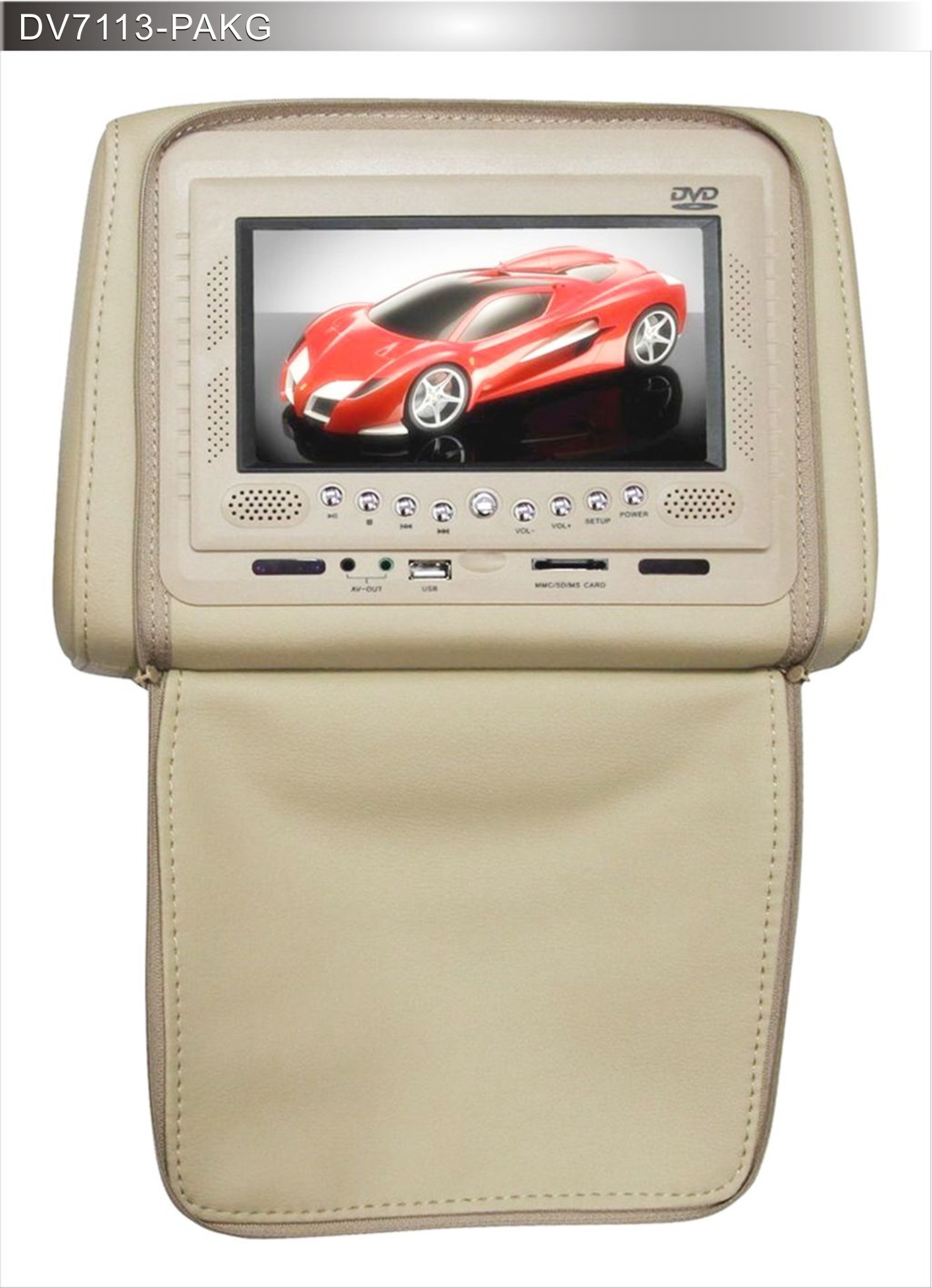
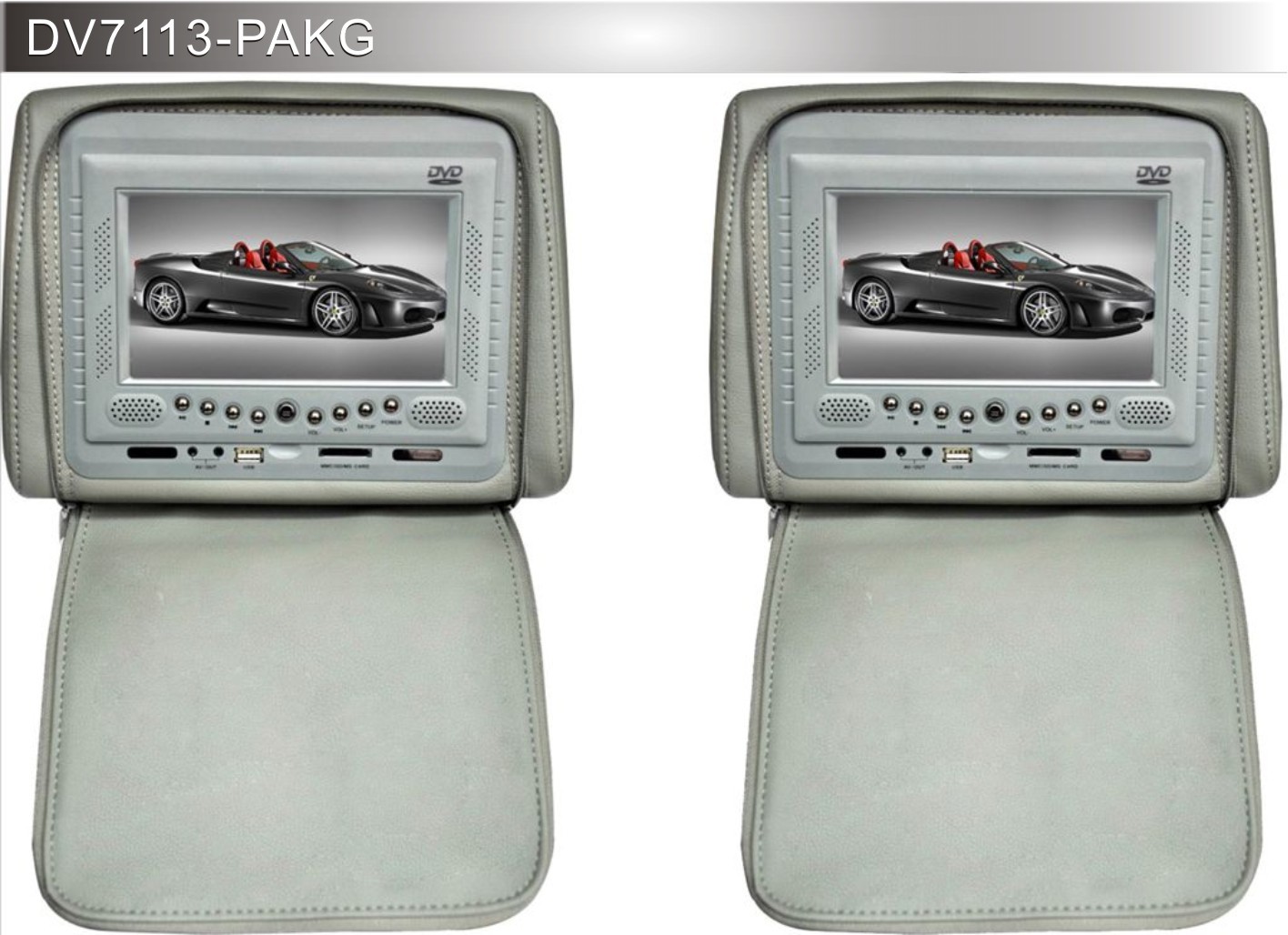
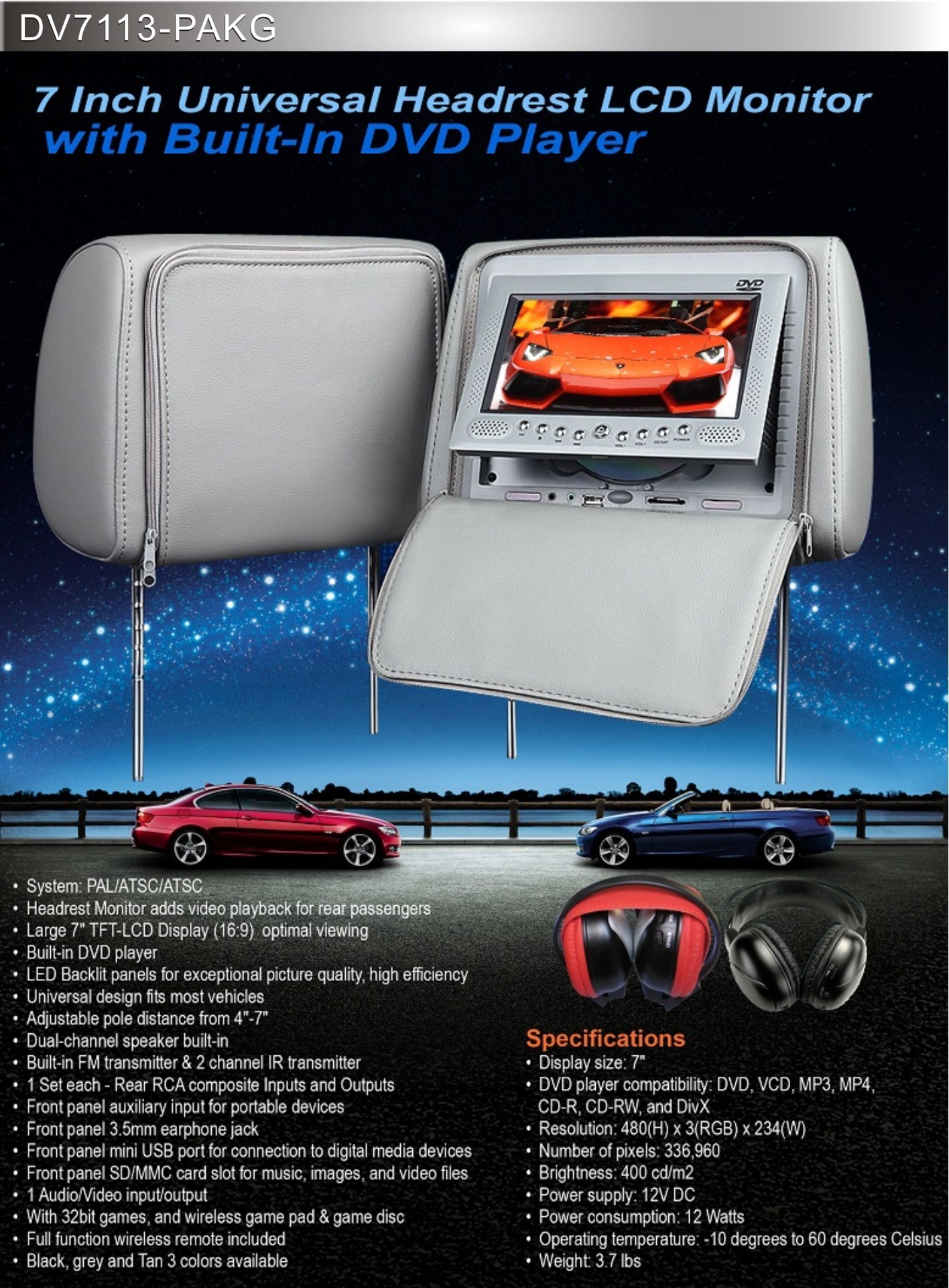
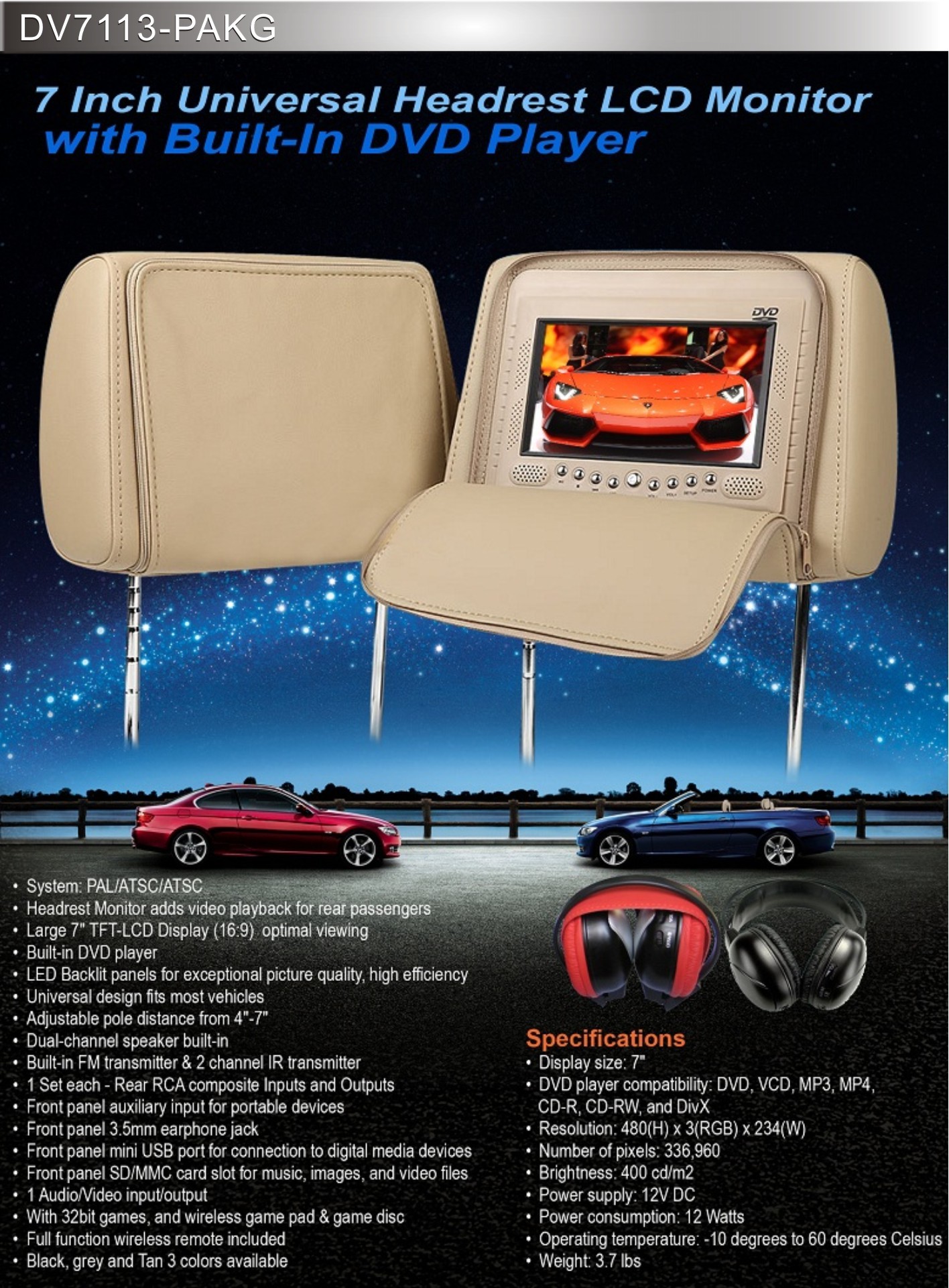
    <summary type="html"><![CDATA[<p><span style="color:rgb(0,0,0);font-family:Arial;font-size:12px;line-height:23px;"> </span><span style="margin:0px;padding:0px;font-size:12px;font-family:'sans serif', tahoma, verdana, helvetica;line-height:18px;">The Multimedia Headrest System includes two high quality 7" LCD screens, perfectly housed in fully upholstered headrests with a choice of colours. Both Headrest conceal a neatly hidden inset DVD player and both angle-adjustable screens come with 2 wireless 32 Bit Game Controllers.</span></p>

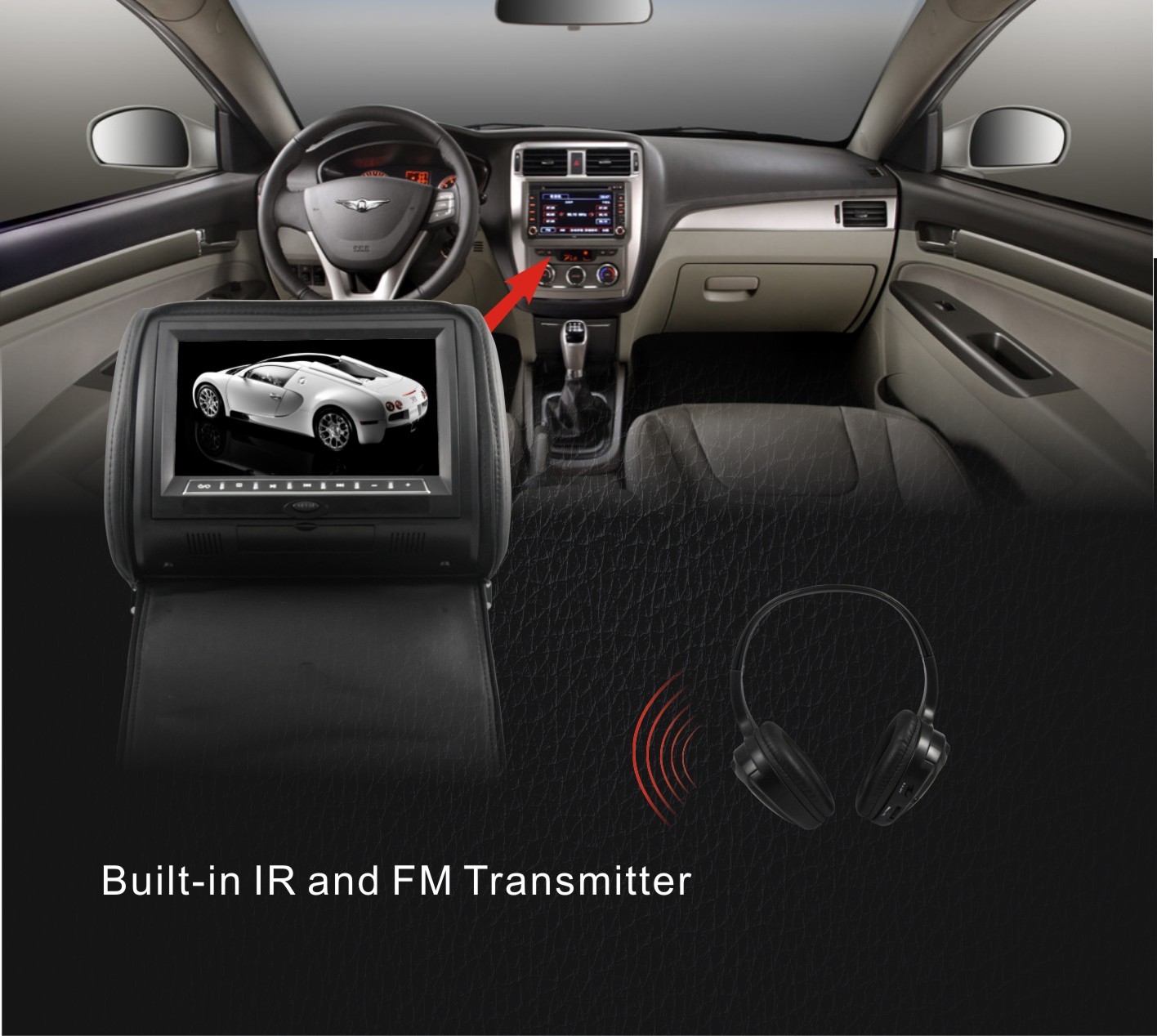
<p align="left" style="margin:5px 0px;padding:0px;font-size:12px;font-family:'sans serif', tahoma, verdana, helvetica;line-height:18px;">In addition, the set transmits FM signals of the soundtrack to your car radio wirelessly, so no matter what car or radio, you can choose to have the sounds in the main system. <br style="margin:0px;padding:0px;" />
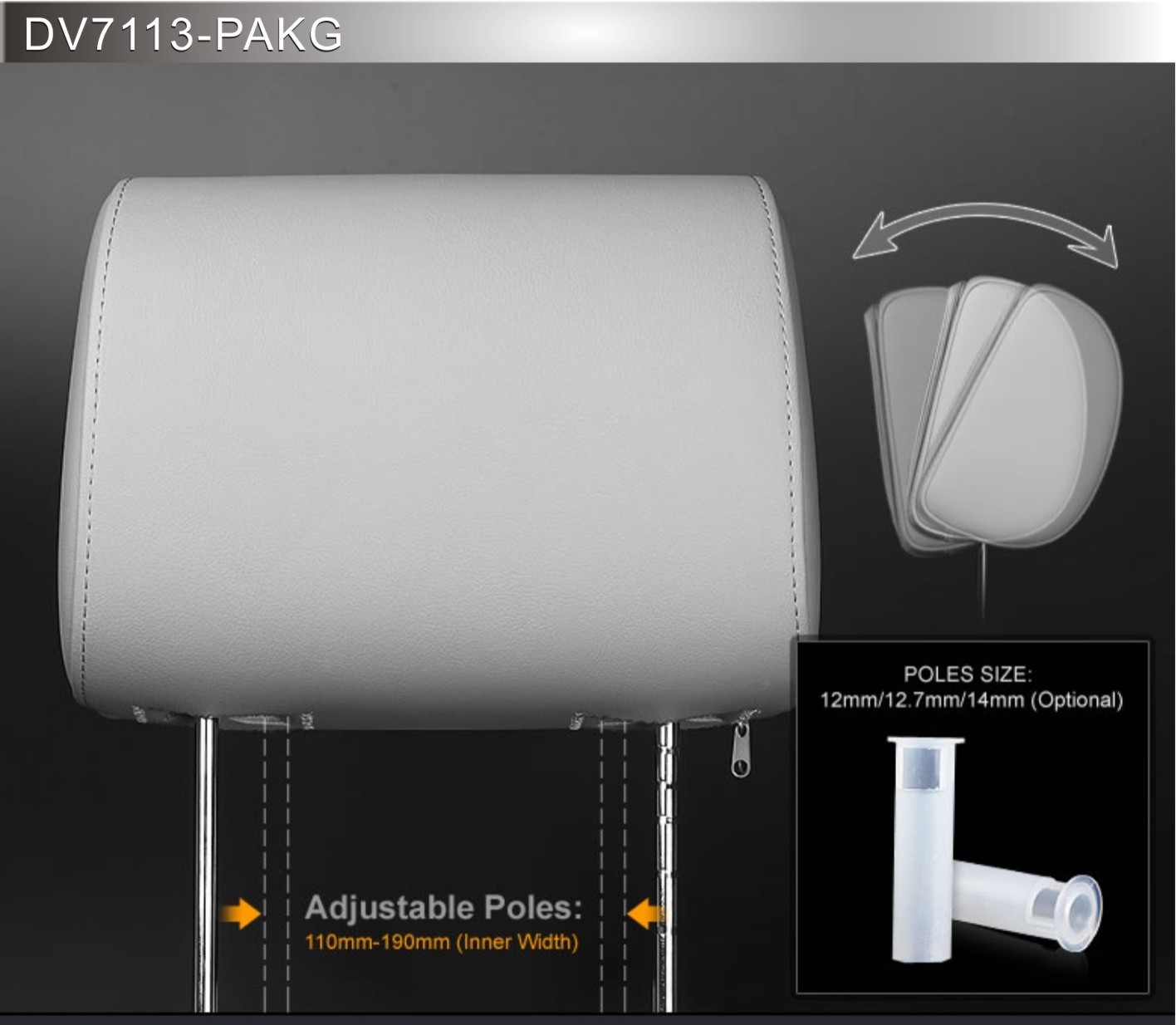
The set is compatible with a huge range of cars and is adjustable for width from 4.5" to 7.75". Remote controls are supplied for both DVD players/screen. You can add an extra A/V source if you wish. Simple, elegant and with wide compatibility as well as the utter ease of installation and wireless inclusion into your audio system.<br style="margin:0px;padding:0px;" />
All components necessary for first-class multimedia are already permanently integrated into the Headrests. The set consists of two monitor headrests with 2 integrated Region DVD players.<br style="margin:0px;padding:0px;" />
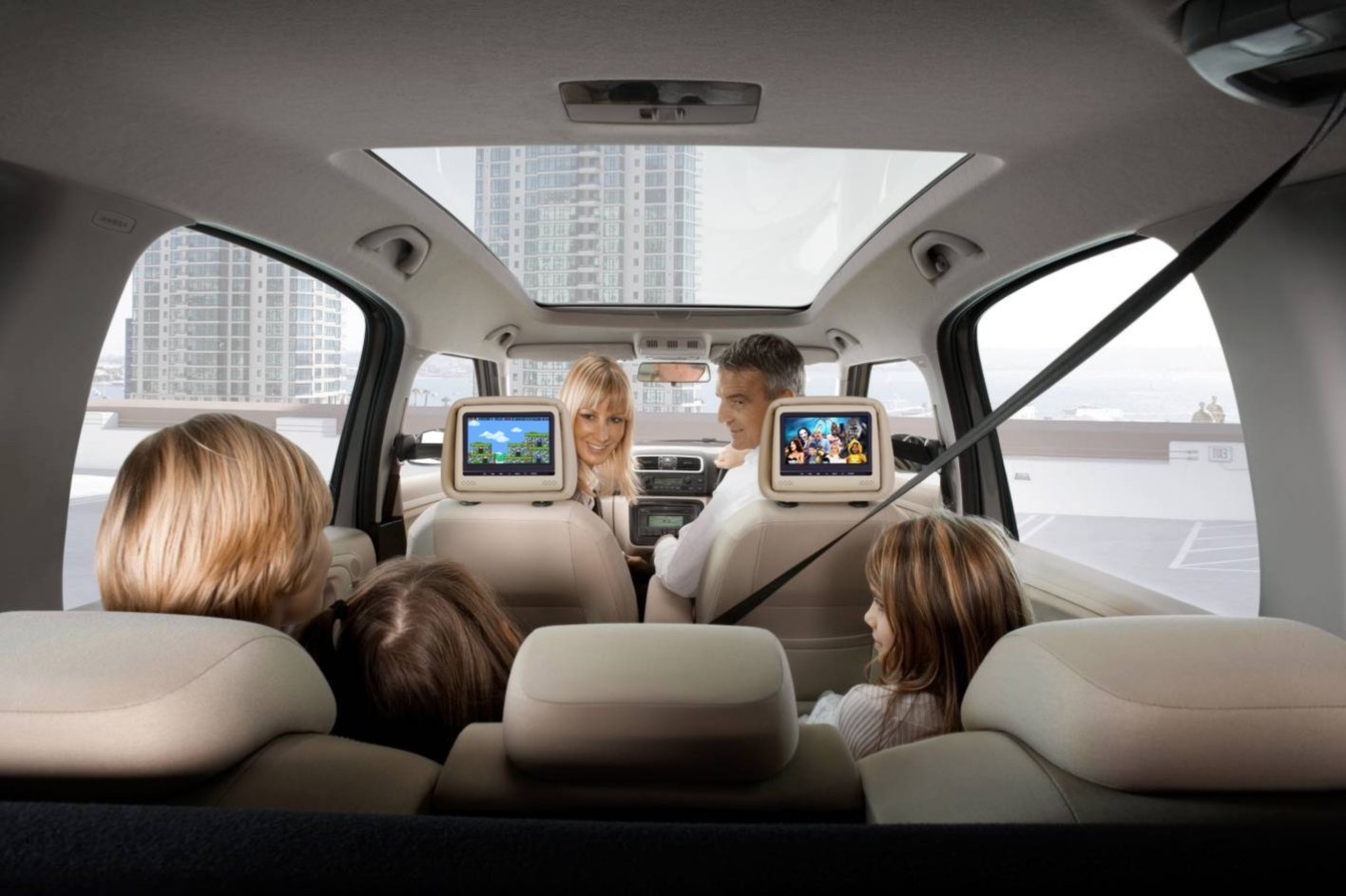
For relaxing and relaxed rear seat entertainment in the car, monitors in the headrests are the best solution because the passengers on the rear seat have these in front of them without straining their necks.<br style="margin:0px;padding:0px;" />
Aside from paying Thousands of Dollars to a Custom Car Audio Shop, This system makes a multimedia-based replacement of the original head rests possible – dismantling them is no problem, either. All components are already permanently integrated into the Headrest.<br style="margin:0px;padding:0px;" />
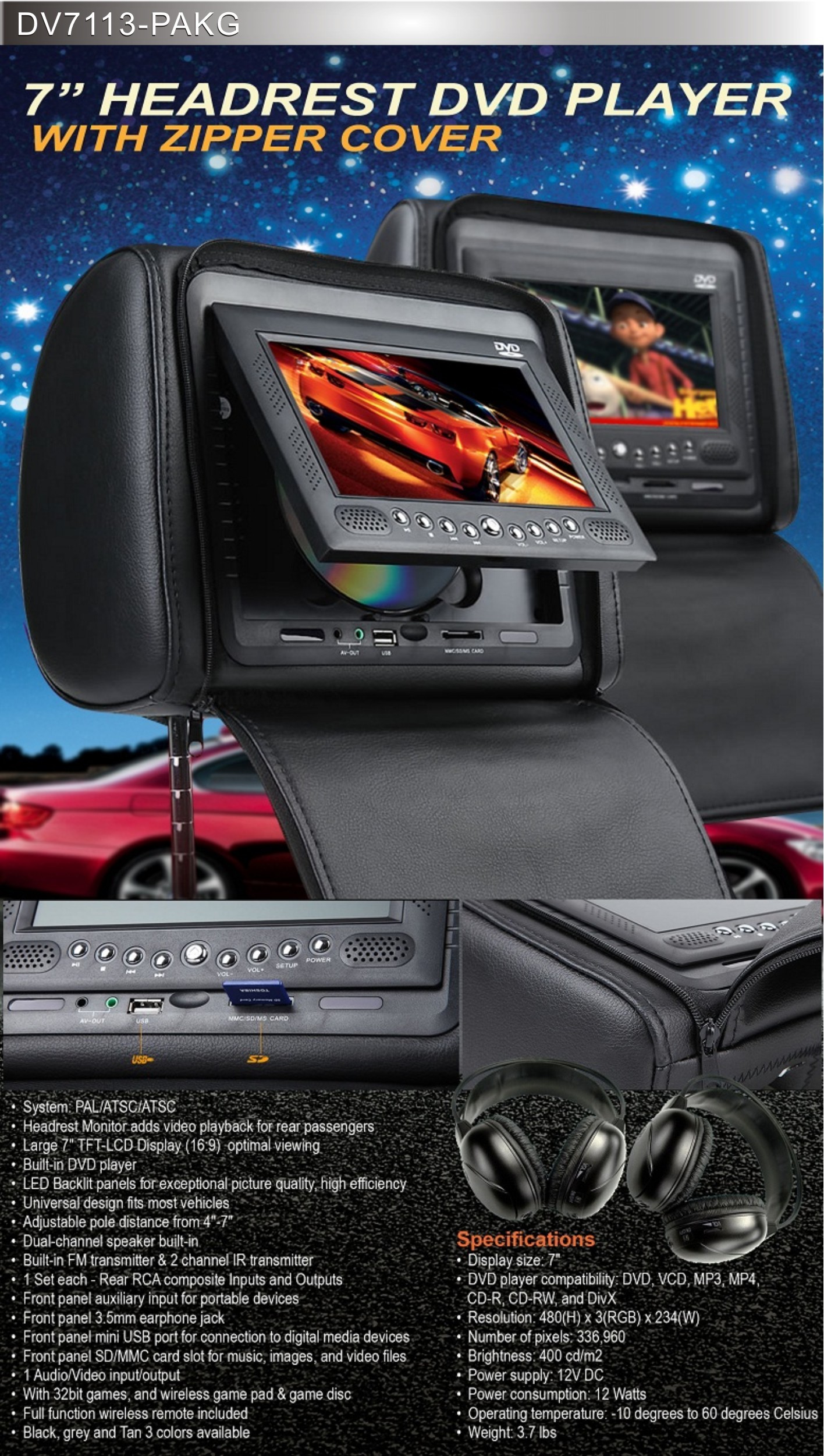
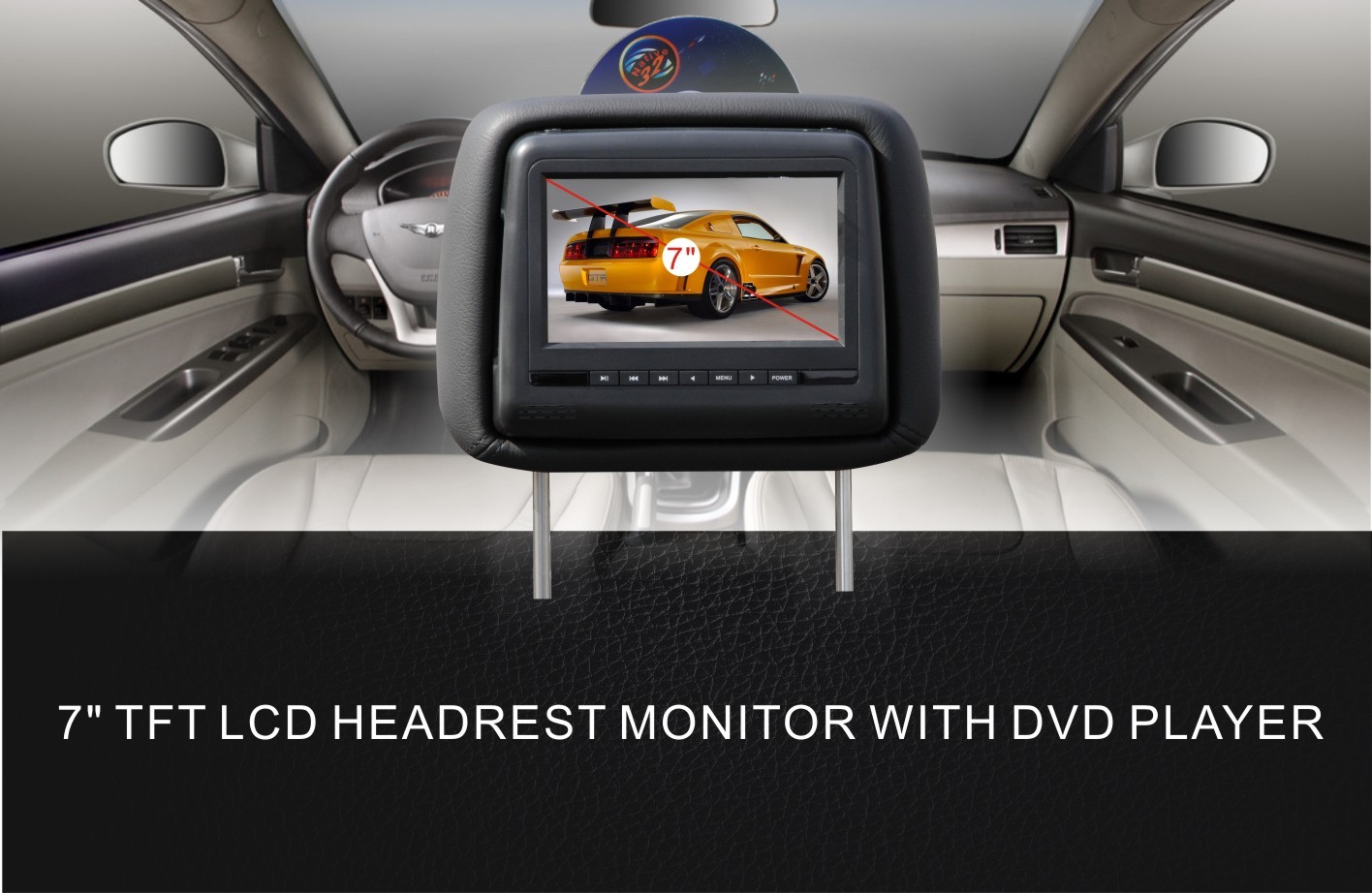
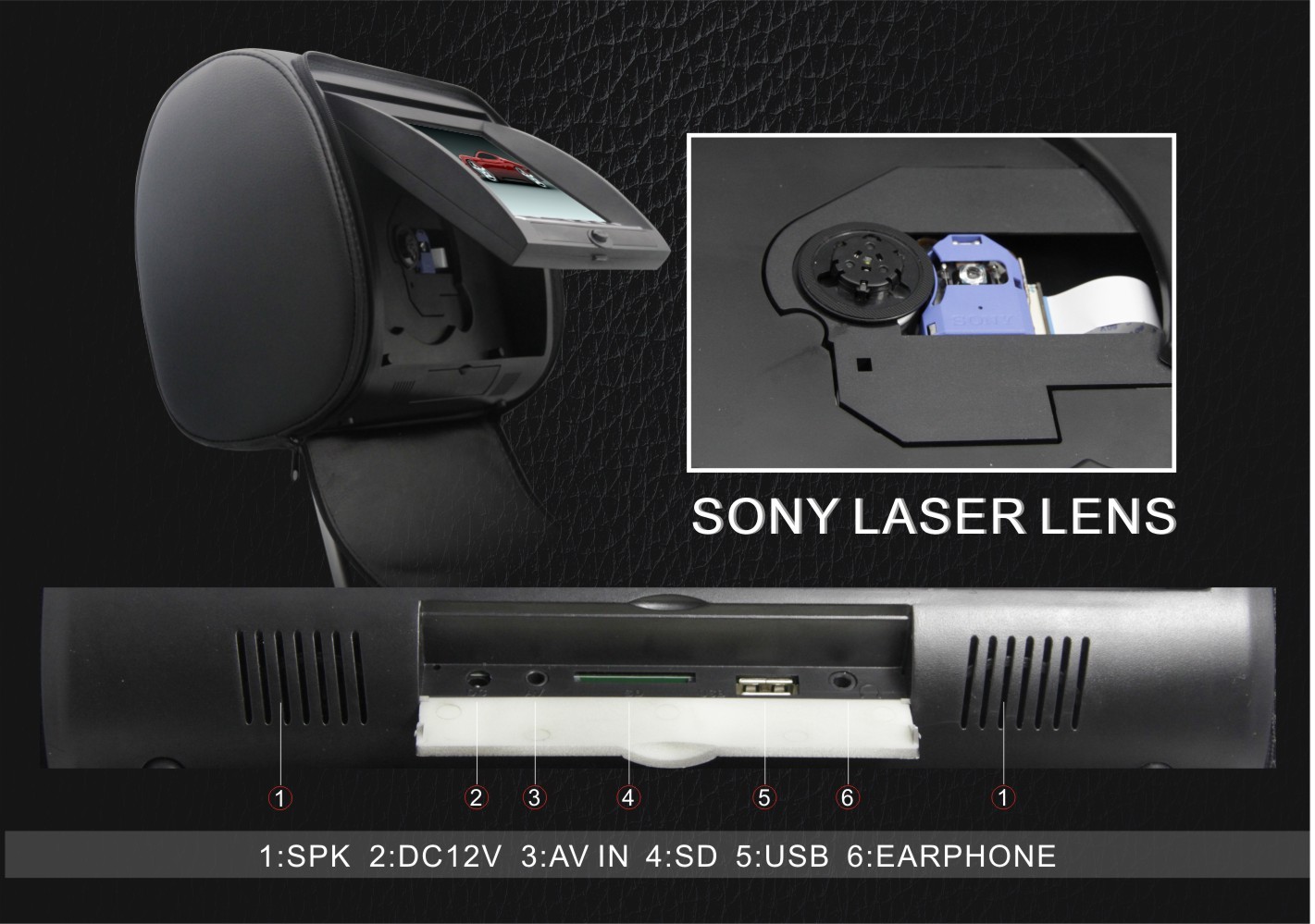
The set consists of two headrests, each having a Huge 7"” TFT LCD monitor. A Sony Brand Laser Reader in our DVD player is also installed into the headrests. The DVD player plays all common formats such as , , DVD, VCD, SVCD, CD, CD-G, MP3, JPEG, WMA, CD-R, CD-RW, and DVCD formats . Using the integrated RCA A/V inputs and outputs of the DVD players, the monitors can be connected one another to view the same movie or the headrests can be used Individually to watch to different movies.<br style="margin:0px;padding:0px;" />
Both headrests are controlled either by using the control panel on the front side or the two remote controls. The power supply is provided by a 12 V connecting cable that can also be run unseen in the vehicle.<br style="margin:0px;padding:0px;" />
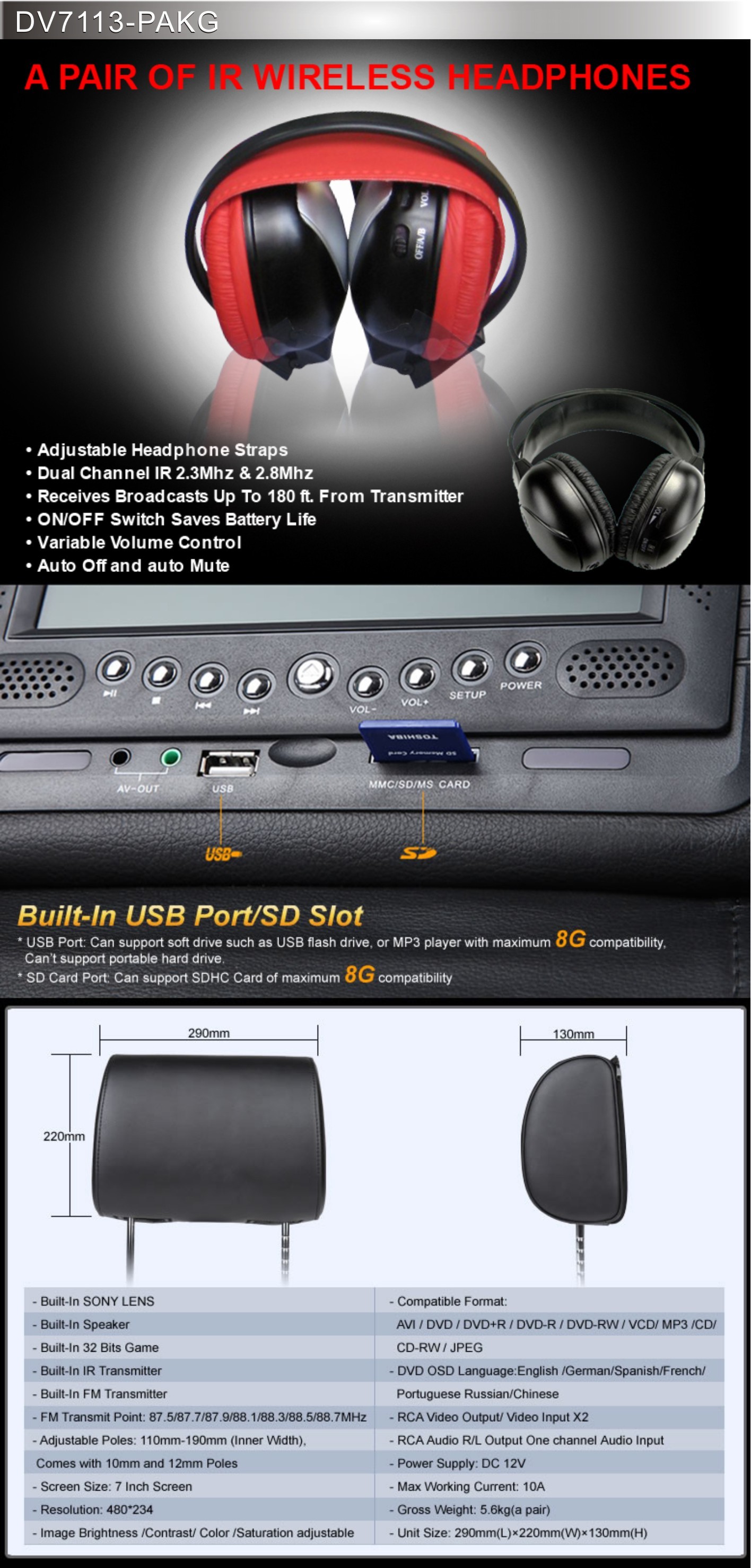
Includes 2 ( a pair ) of Dual channel Wireless Headphones.</p>

<p align="left" style="margin:5px 0px;padding:0px;font-size:12px;font-family:'sans serif', tahoma, verdana, helvetica;line-height:18px;"><b style="margin:0px;padding:0px;">Specification:</b></p>

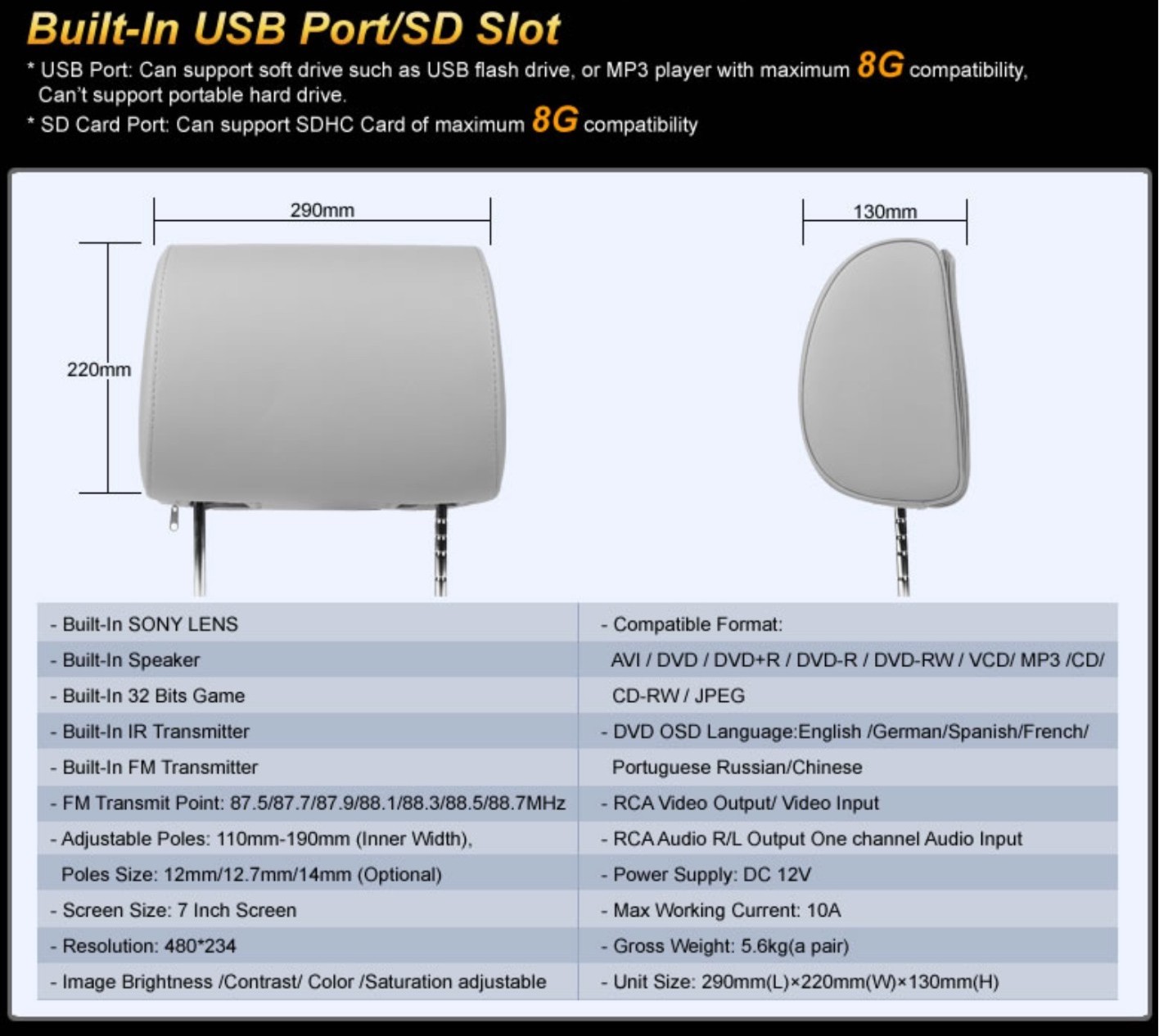
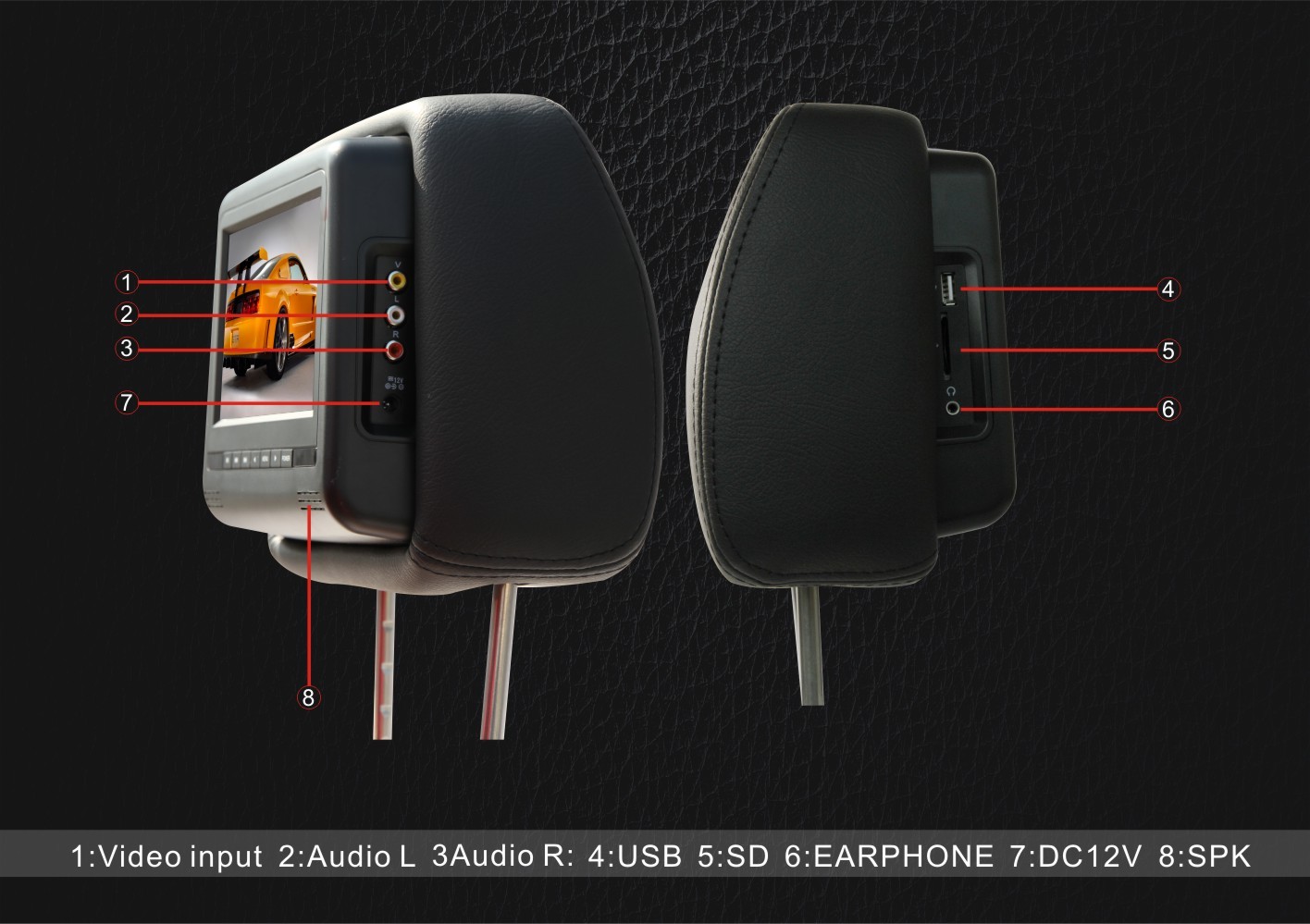
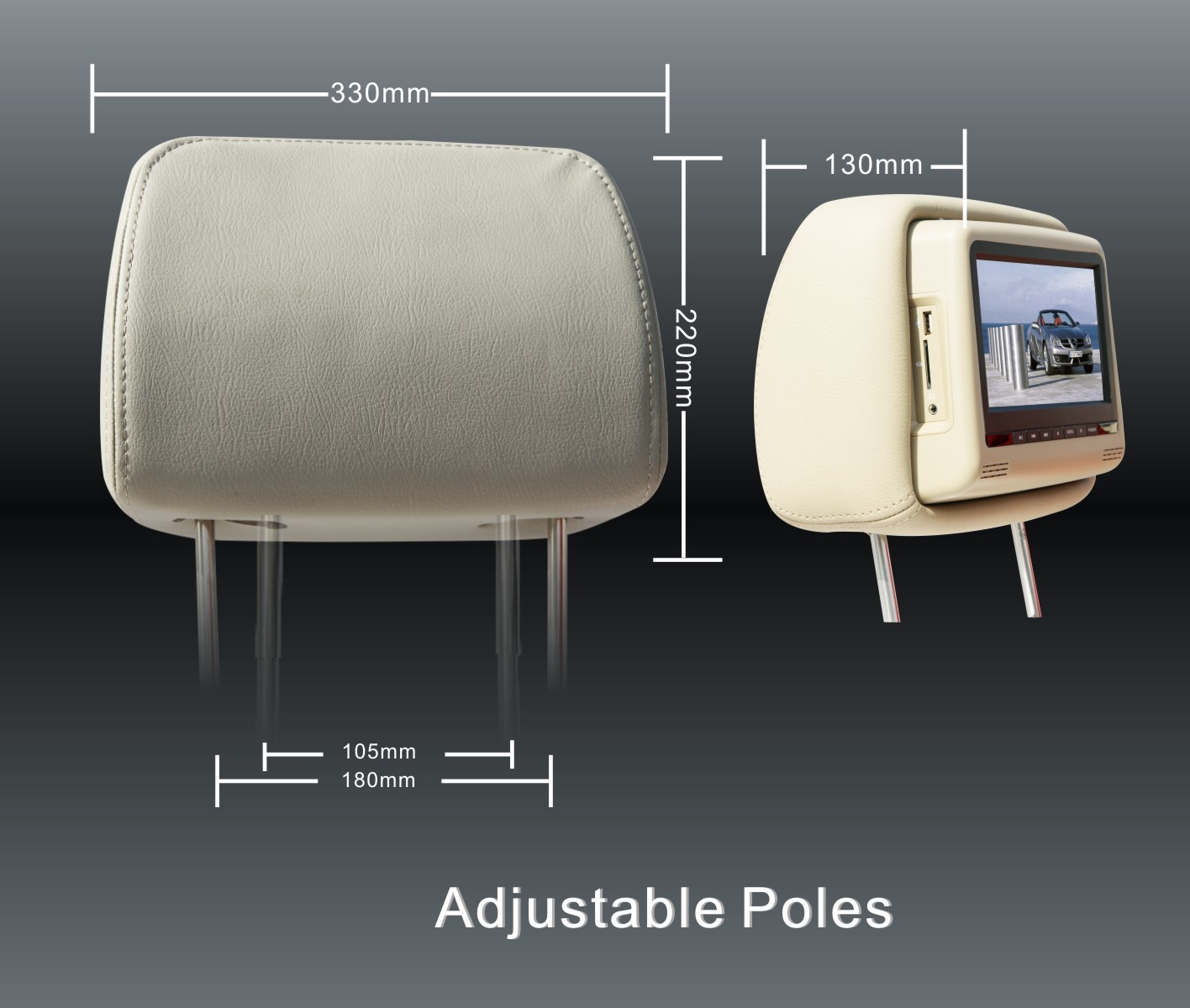
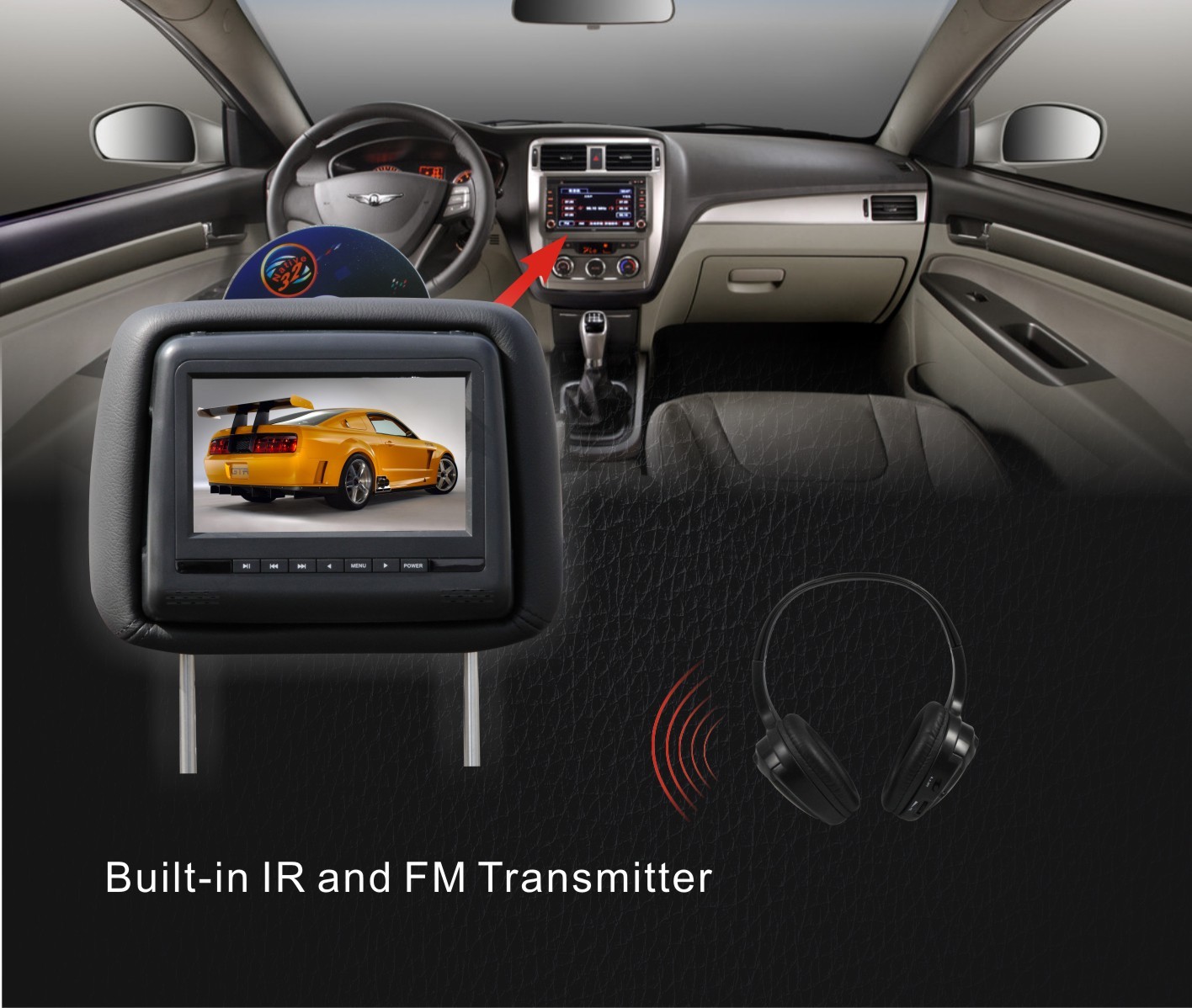
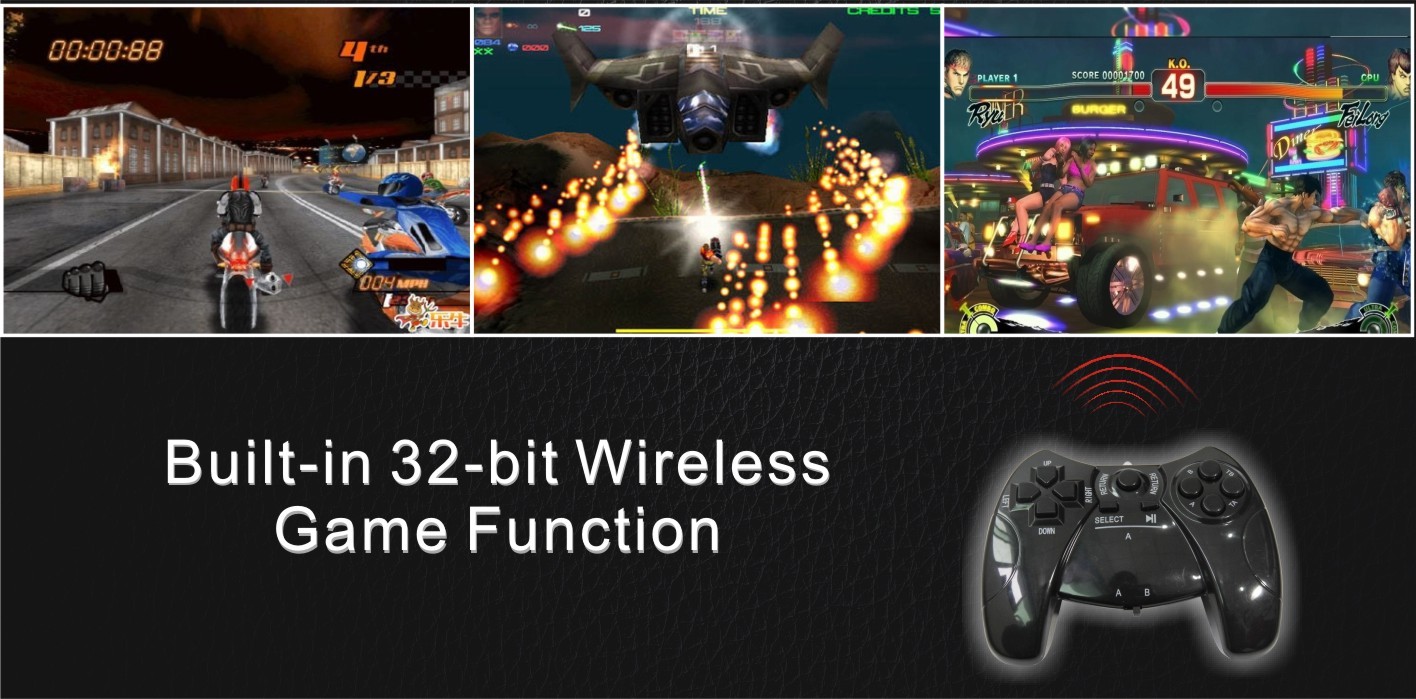
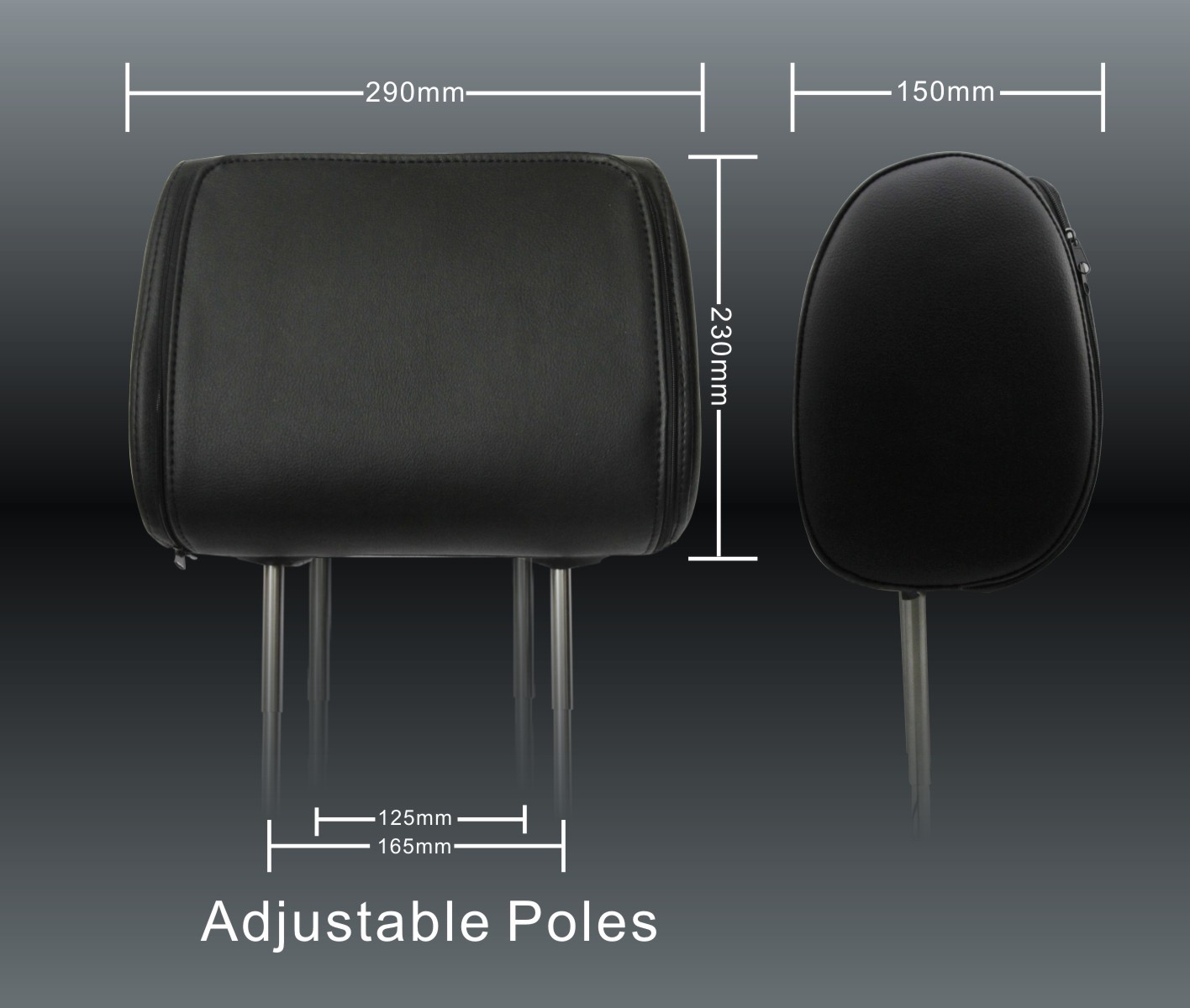
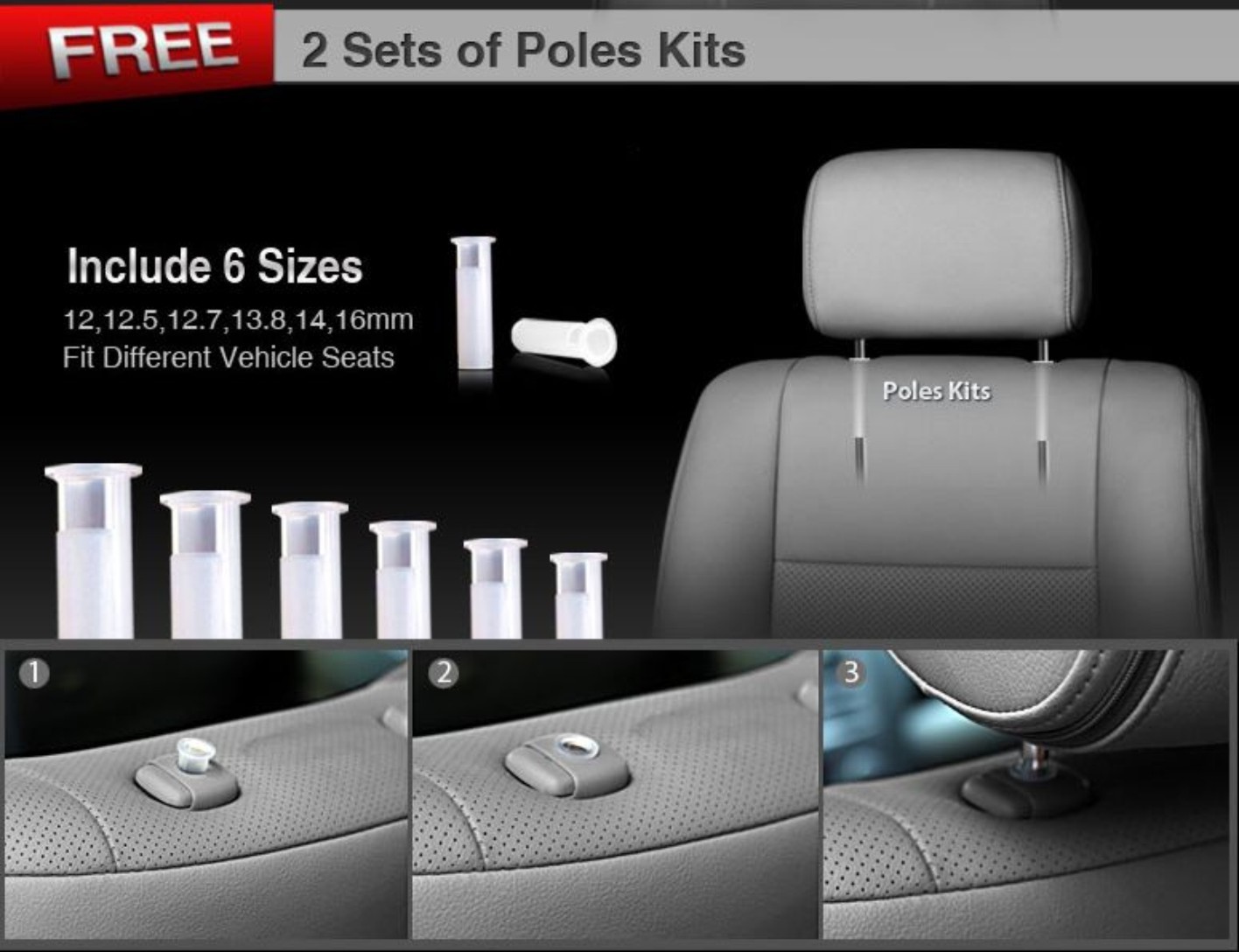
<p align="left" style="margin:5px 0px;padding:0px;font-size:12px;font-family:'sans serif', tahoma, verdana, helvetica;line-height:18px;"><b style="margin:0px;padding:0px;">Black Case New Headrest DVD Lcd Package with Wireless Controllers</b>: No messy wires everywhere in your car anymore, your children will enjoy the games much more.<br style="margin:0px;padding:0px;" /><b style="margin:0px;padding:0px;">Wireless IR headphones</b>: You have the luxury to watch different movies without fights anymore! Phew!<br style="margin:0px;padding:0px;" /><b style="margin:0px;padding:0px;">FM Transmitter</b>: Easy to connect to your quality sound system on your car without hassle.<br style="margin:0px;padding:0px;" /><b style="margin:0px;padding:0px;">AV in/out</b>: It's just another convenient thing to connect your AV devices directly<br style="margin:0px;padding:0px;" /><b style="margin:0px;padding:0px;">7 inch Sharp TFT LCD screen</b>: Now you can enjoy high quality movies/DVD with this SHARP screen with enough brightness.<br style="margin:0px;padding:0px;" /><b style="margin:0px;padding:0px;">USB connectivity, SD/MMC/MS card reader</b>: It provides you the convenience to link with the devices.<br style="margin:0px;padding:0px;" /><b style="margin:0px;padding:0px;">Adjustable posts - easy installation</b>: Fits all car seats without problem. they are set at 105mm apart and adjustable to 230mm.</p>

<p align="left" style="margin:5px 0px;padding:0px;font-size:12px;font-family:'sans serif', tahoma, verdana, helvetica;line-height:18px;"> </p>

<table border="1" cellpadding="0" cellspacing="0" style="margin:0px;padding:0px;font-size:12px;border-collapse:collapse;font-family:'sans serif', tahoma, verdana, helvetica;line-height:18px;"><tbody style="margin:0px;padding:0px;"><tr style="margin:0px;padding:0px;"><td style="margin:0px;padding:0px;width:169px;height:18px;">
			<p align="left" style="margin:5px 0px;padding:0px;">Feature</p>
			</td>
			<td style="margin:0px;padding:0px;width:226px;height:18px;">
			<p align="left" style="margin:5px 0px;padding:0px;"> </p>
			</td>
			<td style="margin:0px;padding:0px;width:450px;height:18px;">
			<p align="left" style="margin:5px 0px;padding:0px;">Benefit</p>
			</td>
		</tr><tr style="margin:0px;padding:0px;"><td style="margin:0px;padding:0px;height:18px;">
			<p align="left" style="margin:5px 0px;padding:0px;">Screen Size:</p>
			</td>
			<td style="margin:0px;padding:0px;height:18px;">
			<p align="left" style="margin:5px 0px;padding:0px;">TWO 7" LCD</p>
			</td>
			<td style="margin:0px;padding:0px;height:18px;">
			<p align="left" style="margin:5px 0px;padding:0px;">Watch 2 DVD's at the same time</p>
			</td>
		</tr><tr style="margin:0px;padding:0px;"><td style="margin:0px;padding:0px;height:36px;">
			<p align="left" style="margin:5px 0px;padding:0px;">Screen Format:</p>
			</td>
			<td style="margin:0px;padding:0px;width:226px;height:36px;">
			<p align="left" style="margin:5px 0px;padding:0px;">16:9 wide screen<br style="margin:0px;padding:0px;" />
			high definition TFT LCD</p>
			</td>
			<td style="margin:0px;padding:0px;height:36px;">
			<p align="left" style="margin:5px 0px;padding:0px;">Or can watch the same DVD on both screens</p>
			</td>
		</tr><tr style="margin:0px;padding:0px;"><td style="margin:0px;padding:0px;height:18px;">
			<p align="left" style="margin:5px 0px;padding:0px;">Video System</p>
			</td>
			<td style="margin:0px;padding:0px;height:18px;">
			<p align="left" style="margin:5px 0px;padding:0px;">PAL/NTSC/AUTO</p>
			</td>
			<td style="margin:0px;padding:0px;height:18px;">
			<p align="left" style="margin:5px 0px;padding:0px;">Multiple region</p>
			</td>
		</tr><tr style="margin:0px;padding:0px;"><td style="margin:0px;padding:0px;height:18px;">
			<p align="left" style="margin:5px 0px;padding:0px;">Zipper Cover</p>
			</td>
			<td style="margin:0px;padding:0px;height:18px;">
			<p align="left" style="margin:5px 0px;padding:0px;">YES</p>
			</td>
			<td style="margin:0px;padding:0px;height:18px;">
			<p align="left" style="margin:5px 0px;padding:0px;">Protect and cover monitors up when not in use</p>
			</td>
		</tr><tr style="margin:0px;padding:0px;"><td style="margin:0px;padding:0px;height:18px;">
			<p align="left" style="margin:5px 0px;padding:0px;">Color</p>
			</td>
			<td style="margin:0px;padding:0px;height:18px;">
			<p align="left" style="margin:5px 0px;padding:0px;">Black</p>
			</td>
			<td style="margin:0px;padding:0px;height:18px;">
			<p align="left" style="margin:5px 0px;padding:0px;">Color match most of the vehicles seat color</p>
			</td>
		</tr><tr style="margin:0px;padding:0px;"><td style="margin:0px;padding:0px;width:169px;height:54px;">
			<p align="left" style="margin:5px 0px;padding:0px;">DVD/VCD/CD/CDG/MP4/<br style="margin:0px;padding:0px;" />
			MP3/WMA/JPEG/DIVX formats</p>
			</td>
			<td style="margin:0px;padding:0px;height:54px;">
			<p align="left" style="margin:5px 0px;padding:0px;">YES</p>
			</td>
			<td style="margin:0px;padding:0px;height:54px;">
			<p align="left" style="margin:5px 0px;padding:0px;">Multiple format supported</p>
			</td>
		</tr><tr style="margin:0px;padding:0px;"><td style="margin:0px;padding:0px;height:18px;">
			<p align="left" style="margin:5px 0px;padding:0px;">FM Transmitter</p>
			</td>
			<td style="margin:0px;padding:0px;height:18px;">
			<p align="left" style="margin:5px 0px;padding:0px;">YES</p>
			</td>
			<td style="margin:0px;padding:0px;height:18px;">
			<p align="left" style="margin:5px 0px;padding:0px;">Listen to audio over car speakers (no wires attached)</p>
			</td>
		</tr><tr style="margin:0px;padding:0px;"><td style="margin:0px;padding:0px;height:18px;">
			<p align="left" style="margin:5px 0px;padding:0px;">Poles Adjustable</p>
			</td>
			<td style="margin:0px;padding:0px;height:18px;">
			<p align="left" style="margin:5px 0px;padding:0px;">From 4.5" to 7.75"</p>
			</td>
			<td style="margin:0px;padding:0px;height:18px;">
			<p align="left" style="margin:5px 0px;padding:0px;">Adjust to fit most vehicles</p>
			</td>
		</tr><tr style="margin:0px;padding:0px;"><td style="margin:0px;padding:0px;height:18px;">
			<p align="left" style="margin:5px 0px;padding:0px;">Games</p>
			</td>
			<td style="margin:0px;padding:0px;height:18px;">
			<p align="left" style="margin:5px 0px;padding:0px;">32Bit games</p>
			</td>
			<td style="margin:0px;padding:0px;height:18px;">
			<p align="left" style="margin:5px 0px;padding:0px;">Can play double players or single on each headrest.</p>
			</td>
		</tr><tr style="margin:0px;padding:0px;"><td style="margin:0px;padding:0px;height:18px;">
			<p align="left" style="margin:5px 0px;padding:0px;">Full function remote control</p>
			</td>
			<td style="margin:0px;padding:0px;height:18px;">
			<p align="left" style="margin:5px 0px;padding:0px;">2 wireless remote control</p>
			</td>
			<td style="margin:0px;padding:0px;height:18px;">
			<p align="left" style="margin:5px 0px;padding:0px;">No wire</p>
			</td>
		</tr><tr style="margin:0px;padding:0px;"><td style="margin:0px;padding:0px;width:169px;height:36px;">
			<p align="left" style="margin:5px 0px;padding:0px;">SD, MS, and MMC<br style="margin:0px;padding:0px;" />
			3-in-1 card reader</p>
			</td>
			<td style="margin:0px;padding:0px;height:36px;">
			<p align="left" style="margin:5px 0px;padding:0px;">YES</p>
			</td>
			<td style="margin:0px;padding:0px;height:36px;">
			<p align="left" style="margin:5px 0px;padding:0px;">Can connect to other device or more games</p>
			</td>
		</tr><tr style="margin:0px;padding:0px;"><td style="margin:0px;padding:0px;height:18px;">
			<p align="left" style="margin:5px 0px;padding:0px;">USB Port, A/V in and out</p>
			</td>
			<td style="margin:0px;padding:0px;height:18px;">
			<p align="left" style="margin:5px 0px;padding:0px;">YES</p>
			</td>
			<td style="margin:0px;padding:0px;height:18px;">
			<p align="left" style="margin:5px 0px;padding:0px;">Can connect game system or other A/V signals</p>
			</td>
		</tr><tr style="margin:0px;padding:0px;"><td style="margin:0px;padding:0px;height:18px;">
			<p align="left" style="margin:5px 0px;padding:0px;">multi-language menu</p>
			</td>
			<td style="margin:0px;padding:0px;height:18px;">
			<p align="left" style="margin:5px 0px;padding:0px;">YES</p>
			</td>
			<td style="margin:0px;padding:0px;height:18px;">
			<p align="left" style="margin:5px 0px;padding:0px;">English, Spanish and more</p>
			</td>
		</tr><tr style="margin:0px;padding:0px;"><td style="margin:0px;padding:0px;height:18px;">
			<p align="left" style="margin:5px 0px;padding:0px;">Games Controls</p>
			</td>
			<td style="margin:0px;padding:0px;height:18px;">
			<p align="left" style="margin:5px 0px;padding:0px;">2 wireless Joysticks</p>
			</td>
			<td style="margin:0px;padding:0px;height:18px;">
			<p align="left" style="margin:5px 0px;padding:0px;">Can play double players or single on each headrest.</p>
			</td>
		</tr><tr style="margin:0px;padding:0px;"><td style="margin:0px;padding:0px;width:169px;height:36px;">
			<p align="left" style="margin:5px 0px;padding:0px;">Two IR wireless<br style="margin:0px;padding:0px;" />
			headphone</p>
			</td>
			<td style="margin:0px;padding:0px;height:36px;">
			<p align="left" style="margin:5px 0px;padding:0px;">YES</p>
			</td>
			<td style="margin:0px;padding:0px;height:36px;">
			<p align="left" style="margin:5px 0px;padding:0px;">Listen to audio without messing around</p>
			</td>
		</tr></tbody></table><p align="left" style="margin:5px 0px;padding:0px;font-size:12px;font-family:'sans serif', tahoma, verdana, helvetica;line-height:18px;"><br style="margin:0px;padding:0px;" /><b style="margin:0px;padding:0px;">Package Included</b></p>

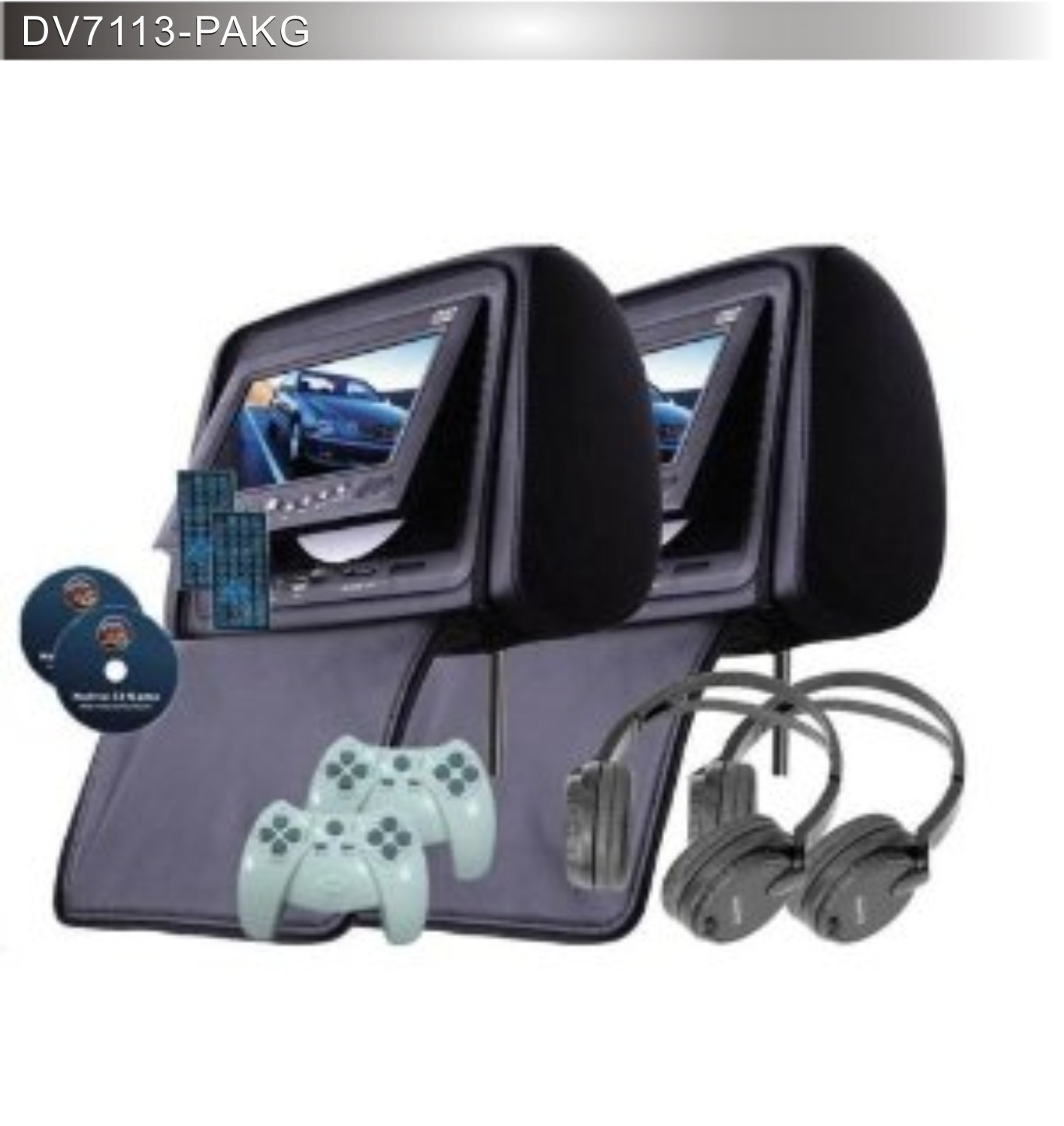
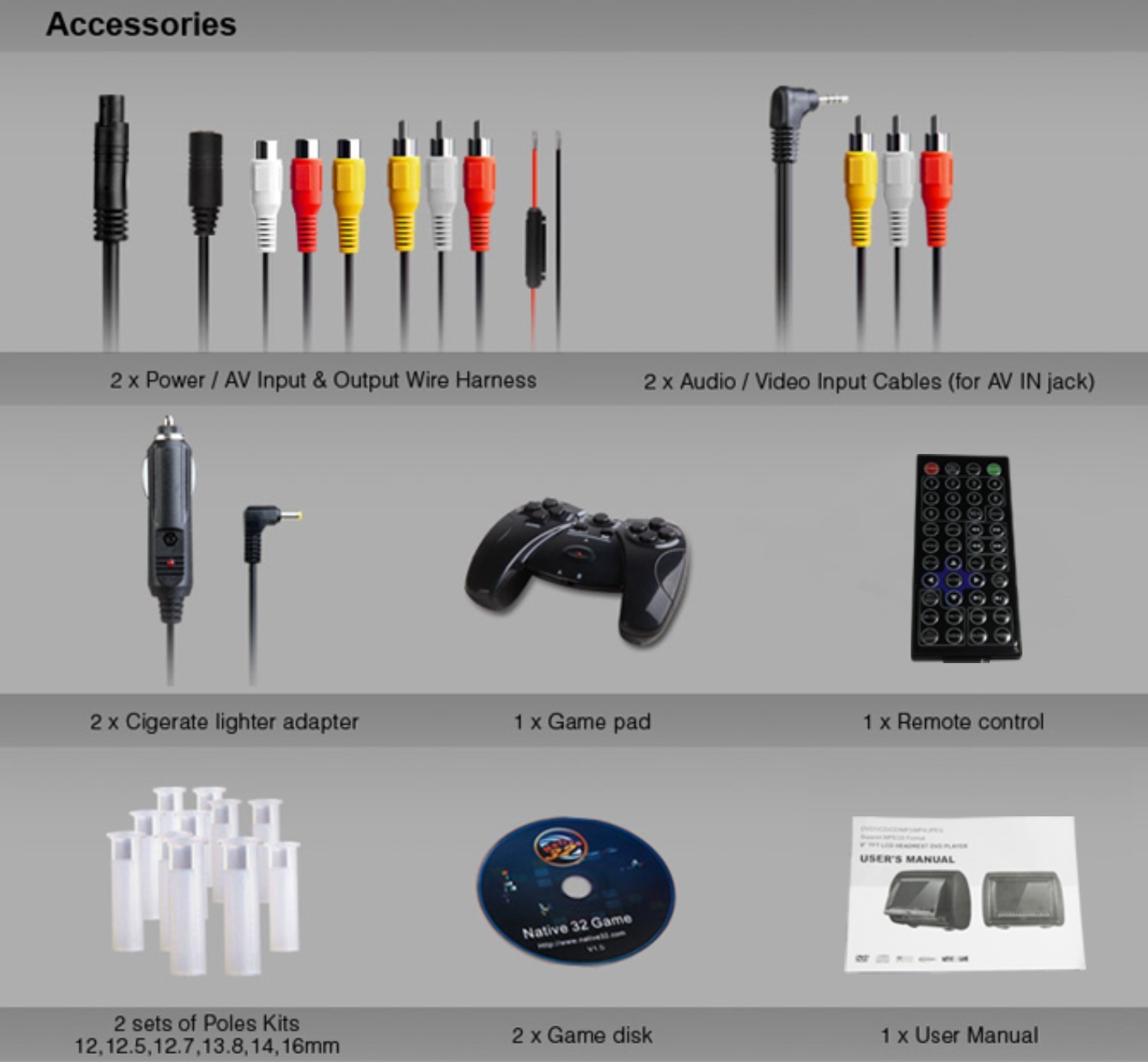
<p align="left" style="margin:5px 0px;padding:0px;font-size:12px;font-family:'sans serif', tahoma, verdana, helvetica;line-height:18px;">2 x headrest 7" LCD monitor<br style="margin:0px;padding:0px;" />
2 x all-region DVD player<br style="margin:0px;padding:0px;" />
2 x DVD covers<br style="margin:0px;padding:0px;" />
2 x Game Discs<br style="margin:0px;padding:0px;" />
2 x Remote Controls<br style="margin:0px;padding:0px;" />
2 x Wireless Game controllers<br style="margin:0px;padding:0px;" />
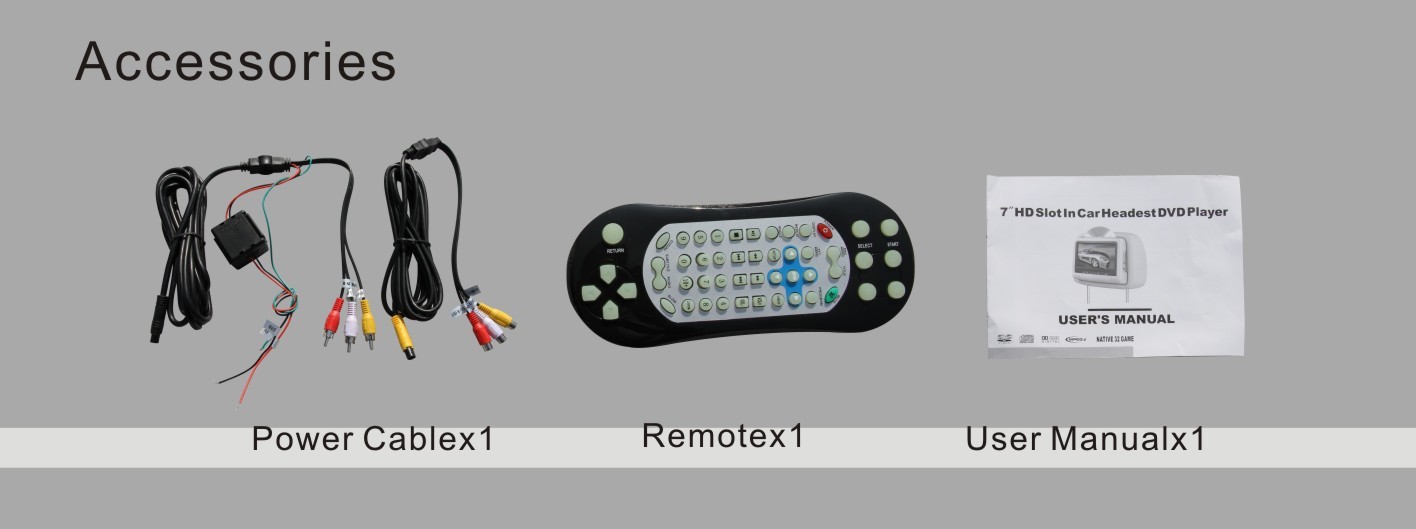
2 x Wireless IR headphones English manuals Power and other wiring harness.</p>

<p align="left" style="margin:5px 0px;padding:0px;font-size:12px;font-family:'sans serif', tahoma, verdana, helvetica;line-height:18px;"> </p>

<p align="left" style="margin:5px 0px;padding:0px;font-size:12px;font-family:'sans serif', tahoma, verdana, helvetica;line-height:18px;"><b style="margin:0px;padding:0px;">Additional Information:</b></p>

<p align="left" style="margin:5px 0px;padding:0px;font-size:12px;font-family:'sans serif', tahoma, verdana, helvetica;line-height:18px;">We guarantee that your Headrest DVD Lcd Package will be completely working and operational or we will issue you with an immediate replacement. In addition, we offer a 3 month unconditional replacement warranty.<br style="margin:0px;padding:0px;" /><br style="margin:0px;padding:0px;" />
CARAVAN is our registered brand in China and other countries. The brand consists of three parts: CAR+AV+AN.It indicates that this is an audio/video system in car. We are a leading manufacturer for IN CAR ENTERTAINEMNT products in China. CARAVAN is a fashion, technology leading brand for younger in the world.</p>
  <a href="http://www.caravandvd.com" rel="nofollow">car dvd player headrest</a><br /><a href="http://www.cardvdonline.com" rel="nofollow">portable dvd player for car headrest</a>
<p><a href="http://www.caravandvd.com" rel="nofollow">dvd player for car headrest</a></p>
<p><a href="http://www.cardvdonline.com" rel="nofollow">headrest dvd player for car</a><br /><a href="http://www.cardvdonline.com" rel="nofollow">car dvd headrest</a><br /><a href="http://www.cardvdonline.com" rel="nofollow">dual headrest dvd player for car</a><br /><a href="http://www.cardvdonline.com" rel="nofollow">portable car dvd player headrest</a><br /><a href="http://www.cardvdonline.com" rel="nofollow">dual portable dvd player for car headrest</a><br /><a href="http://www.cardvdonline.com" rel="nofollow">best portable dvd player for car headrest</a></p>
<p><a href="http://ww.cardvdonline.com" rel="nofollow">headrest dvd player</a><br /><a href="http://www.cardvdonline.com/headrest-dvd-player" rel="nofollow">dvd headrest</a><br /><a href="http://www.cardvdonline.com/headrest-dvd-player" rel="nofollow">headrest dvd</a><br /><a href="http://www.leddisplaysystem.com/" rel="nofollow">led display</a> 
<a href="http://www.leddisplaysystem.com/" rel="nofollow">led screen</a> 
<a href="http://www.jynxboxstore.com/" rel="nofollow">jynxbox store</a> <br /><a href="http://www.dreamboxabc.com/dreambox-dm800-hd-se-with-wifi.php" rel="nofollow">dreambox dm800 hd se v2</a>
 <a href="http://www.securityalarmchina.com" rel="nofollow">alarm security system</a>
 <a href="http://www.dreamboxs.com/" rel="nofollow">dreambox dm7080</a>
<a href="http://www.dreamboxs.com/sim-2.10-for-dreambox-dm800-hd-se.html" title="Dreambox SIM 2.10 card" rel="nofollow">SIM 2.1 card</a>
<a href="http://www.dreamboxs.com/sim-a8p-card-for-dreambox-dm800-hd-se.html" title="Dreambox A8p card" rel="nofollow">A8p card </a>
<a href="http://www.sunraystore.com" title="SUNRAY SR4 V2 HD SE SIM 2.2" rel="nofollow">SUNRAY SR4 V2 </a>
<a href="http://www.sunraystore.com" rel="nofollow">SUNRAY SR4 800HD SE SIM  </a>
<a href="http://www.sunraystore.com" rel="nofollow">SUNRAY SR4 HD SE A8P card </a>
<a href="http://www.sunraysat.com" rel="nofollow">SUNRAY DM800 SR4 HD SE </a>
<a href="http://www.sunraystore.com" rel="nofollow">SUNRAY 800  HD SE A8P HDMI with WIFI </a>
  <a href="http://www.cardvdonline.com/headrest-dvd-player" rel="nofollow">car dvd player headrest</a><br /><a href="http://www.cardvdonline.com/headrest-dvd-player" rel="nofollow">car headrest dvd player</a><br /><a href="http://www.cardvdonline.com/headrest-dvd-player" rel="nofollow">headrest dvd players</a><br /><a href="http://www.cardvdonline.com/headrest-dvd-player" rel="nofollow">best headrest dvd player</a><br /><a href="http://www.cardvdonline.com/headrest-dvd-player" rel="nofollow">dvd player for car headrest</a><br /><a href="http://www.cardvdonline.com/headrest-dvd-player" rel="nofollow">headrest dvd player reviews</a><br /><a href="http://www.cardvdonline.com/headrest-dvd-player" rel="nofollow">cloth headrest dvd player</a><br /><a href="http://www.cardvdonline.com/headrest-dvd-player" rel="nofollow">cloth headrest monitors</a><br /><br /><a href="http://www.cardvdonline.com/headrest-dvd-player" rel="nofollow">best headrest monitors</a><br /><a href="http://www.cardvdonline.com/headrest-dvd-player" rel="nofollow">headrest dvd system</a><br /><a href="http://www.cardvdonline.com/headrest-dvd-player" rel="nofollow">dvd headrest player</a><br /><br /><a href="http://www.cardvdonline.com/headrest-dvd-player" rel="nofollow">headrest dvd player for car</a><br /><a href="http://www.cardvdonline.com/headrest-dvd-player" rel="nofollow">head rest dvd players</a><br /><a href="http://www.cardvdonline.com/headrest-dvd-player" rel="nofollow">headrests dvd</a><br /><a href="http://www.cardvdonline.com/headrest-dvd-player" rel="nofollow"><br />
  car blu ray player headrest</a><br /><br /><a href="http://www.cardvdonline.com/headrest-dvd-player%5D" rel="nofollow">baton dvd headrest</a><br /><br /><a href="http://www.cardvdonline.com/headrest-dvd-player" rel="nofollow">portable headrest dvd player</a><br /><a href="http://www.cardvdonline.com/headrest-dvd-player" rel="nofollow">car headrest dvd</a><br /><a href="http://www.cardvdonline.com/headrest-dvd-player" rel="nofollow">headrest dvd players for cars</a><br /><a href="http://www.cardvdonline.com/headrest-dvd-player" rel="nofollow">9 inch headrest dvd player</a><br /><a href="http://www.cardvdonline.com/headrest-dvd-player" rel="nofollow">dvd players in headrest</a><br /><br /><a href="http://www.cardvdonline.com/headrest-dvd-player" rel="nofollow">headrest with dvd player</a><br /><br /><a href="http://www.cardvdonline.com/headrest-dvd-player" rel="nofollow">headrest monitors installation</a><br /><a href="http://www.cardvdonline.com/headrest-dvd-player" rel="nofollow">ford headrest</a></p>
<p align="left" style="margin:5px 0px;padding:0px;font-size:12px;font-family:'sans serif', tahoma, verdana, helvetica;line-height:18px;"><br style="margin:0px;padding:0px;" /><br style="margin:0px;padding:0px;" /><img alt="" src="http://i.bosscdn.com/upload/105/671/905969581.jpg" style="margin:0px;padding:0px;border:0px;vertical-align:top;height:auto;width:500px;" /><br style="margin:0px;padding:0px;" /><img alt="" src="http://i.bosscdn.com/upload/105/671/1853660415.jpg" style="margin:0px;padding:0px;border:0px;vertical-align:top;height:auto;width:500px;" /><br style="margin:0px;padding:0px;" /><img alt="" src="http://i.bosscdn.com/upload/105/671/1899431262.jpg" style="margin:0px;padding:0px;border:0px;vertical-align:top;height:auto;width:500px;" /><img alt="" src="http://i.bosscdn.com/upload/105/671/1879107115.jpg" style="margin:0px;padding:0px;border:0px;vertical-align:top;height:auto;width:500px;" /><br style="margin:0px;padding:0px;" /><img alt="" src="http://i.bosscdn.com/upload/105/671/1585071512.jpg" style="margin:0px;padding:0px;border:0px;vertical-align:top;height:auto;width:500px;" /><br style="margin:0px;padding:0px;" /><img alt="" src="http://i.bosscdn.com/upload/105/671/3656643298.jpg" style="margin:0px;padding:0px;border:0px;vertical-align:top;height:auto;width:500px;" /><br style="margin:0px;padding:0px;" /><img alt="" src="http://i.bosscdn.com/upload/105/671/703467804.jpg" style="margin:0px;padding:0px;border:0px;vertical-align:top;height:auto;width:500px;" /><br style="margin:0px;padding:0px;" /><img alt="" src="http://i.bosscdn.com/upload/105/671/1325971410.jpg" style="margin:0px;padding:0px;border:0px;vertical-align:top;height:auto;width:500px;" /><br style="margin:0px;padding:0px;" /><img alt="" src="http://i.bosscdn.com/upload/105/671/4259726094.jpg" style="margin:0px;padding:0px;border:0px;vertical-align:top;height:auto;width:500px;" /><br style="margin:0px;padding:0px;" /><img alt="" src="http://i.bosscdn.com/upload/105/671/2560050000.jpg" style="margin:0px;padding:0px;border:0px;vertical-align:top;height:auto;width:500px;" /><br style="margin:0px;padding:0px;" /><img alt="" src="http://i.bosscdn.com/upload/105/671/3510997153.jpg" style="margin:0px;padding:0px;border:0px;vertical-align:top;height:auto;width:500px;" /><br style="margin:0px;padding:0px;" /><img alt="" src="http://i.bosscdn.com/upload/105/671/2225078637.jpg" style="margin:0px;padding:0px;border:0px;vertical-align:top;height:auto;width:500px;" /></p>]]></summary>
    <published>2016-04-20T06:12:00+03:00</published>
    <updated>2019-08-15T08:11:19+03:00</updated>
    <link rel="alternate" type="text/html" href="https://dvddrive.vuodatus.net/lue/2016/04/games-car-headrest-dvd-players-with-2-wireless-joysticks"/>
    <id>https://dvddrive.vuodatus.net/lue/2016/04/games-car-headrest-dvd-players-with-2-wireless-joysticks</id>
    <author>
      <name>pcdriver2011</name>
      <uri>https://dvddrive.vuodatus.net/</uri>
    </author>
  </entry>
  <entry>
    <title type="html"><![CDATA[7 inch HD LED screen,A grade new Innolux digital panel]]></title>
    <summary type="html"><![CDATA[<p><span style="margin:0px;padding:0px;line-height:18px;font-family:'sans serif', tahoma, verdana, helvetica;font-size:14px;">1)Model No.:DV7917BK-PAKG(Headrest DVD)</span></p>

<p style="margin:5px 0px;padding:0px;font-size:12px;line-height:18px;font-family:'sans serif', tahoma, verdana, helvetica;"><span style="margin:0px;padding:0px;font-size:14px;">2)7" HD LED screen,A grade new Innolux digital panel<br style="margin:0px;padding:0px;" />
3)BMW fashion design<br style="margin:0px;padding:0px;" />
4)High resolution,800(W)X3(RGB)X480(H)<br style="margin:0px;padding:0px;" />
5)System:PAL/NTSC<br style="margin:0px;padding:0px;" />
6)Display Mode: 16:9 wide view angle<br style="margin:0px;padding:0px;" />
7)Compatible MPEG4/DVD/DVCD/DVD+R/DVD-RW+DVD+R/VCD/CD/CD-R/MP3/JPEG<br style="margin:0px;padding:0px;" />
8)Slot-in DVD loader(Anti-shock Mechanism)<br style="margin:0px;padding:0px;" />
9)Built-in 8 bit and 32 bit Game function,wireless joysticks included<br style="margin:0px;padding:0px;" />
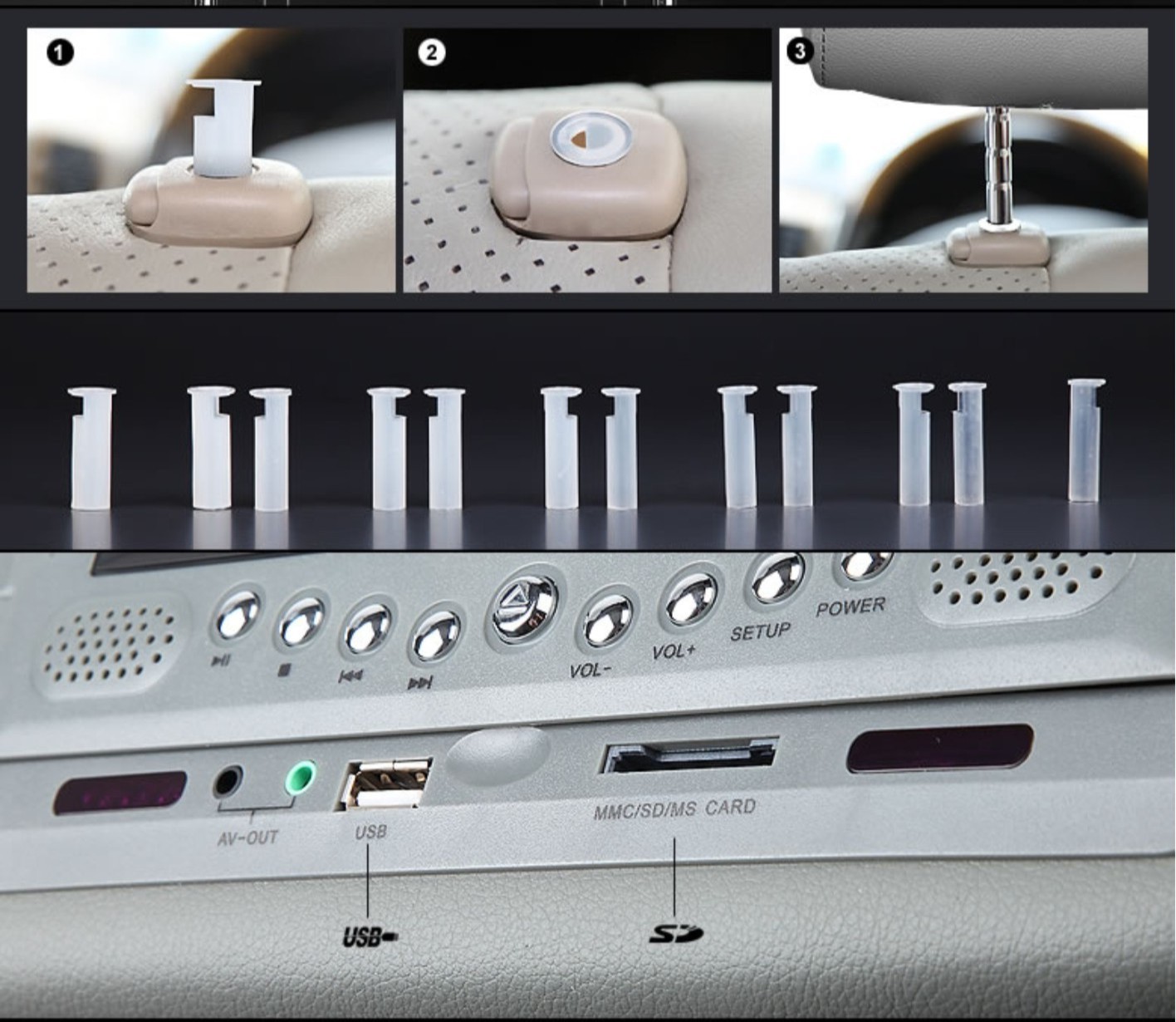
10)With USB port and SD card slot<br style="margin:0px;padding:0px;" />
11)Built in dual IR transmitter<br style="margin:0px;padding:0px;" />
12)Built in FM transmitter<br style="margin:0px;padding:0px;" />
13)Built in Dual powerful speakers<br style="margin:0px;padding:0px;" />
14)English OSD menu,Multi-language support<br style="margin:0px;padding:0px;" />
15)3 colors available:Beige,Black,Grey</span><br style="margin:0px;padding:0px;" /><br style="margin:0px;padding:0px;" />
 </p>

<p><a href="http://www.caravandvd.com" rel="nofollow">car dvd player headrest</a><br /><a href="http://www.cardvdonline.com" rel="nofollow">portable dvd player for car headrest</a></p>

<p> </p>

<p><a href="http://www.caravandvd.com" rel="nofollow">dvd player for car headrest</a></p>

<p><a href="http://www.cardvdonline.com" rel="nofollow">headrest dvd player for car</a><br /><a href="http://www.cardvdonline.com" rel="nofollow">car dvd headrest</a><br /><a href="http://www.cardvdonline.com" rel="nofollow">dual headrest dvd player for car</a><br /><a href="http://www.cardvdonline.com" rel="nofollow">portable car dvd player headrest</a><br /><a href="http://www.cardvdonline.com" rel="nofollow">dual portable dvd player for car headrest</a><br /><a href="http://www.cardvdonline.com" rel="nofollow">best portable dvd player for car headrest</a></p>

<p><a href="http://ww.cardvdonline.com" rel="nofollow">headrest dvd player</a><br /><a href="http://www.cardvdonline.com/headrest-dvd-player" rel="nofollow">dvd headrest</a><br /><a href="http://www.cardvdonline.com/headrest-dvd-player" rel="nofollow">headrest dvd</a><br /><a href="http://www.leddisplaysystem.com/" rel="nofollow">led display</a> <a href="http://www.leddisplaysystem.com/" rel="nofollow">led screen</a> <a href="http://www.jynxboxstore.com/" rel="nofollow">jynxbox store</a><br /><a href="http://www.dreamboxabc.com/dreambox-dm800-hd-se-with-wifi.php" rel="nofollow">dreambox dm800 hd se v2</a> <a href="http://www.securityalarmchina.com" rel="nofollow">alarm security system</a> <a href="http://www.dreamboxs.com/" rel="nofollow">dreambox dm7080</a> <a href="http://www.dreamboxs.com/sim-2.10-for-dreambox-dm800-hd-se.html" title="Dreambox SIM 2.10 card" rel="nofollow">SIM 2.1 card</a> <a href="http://www.dreamboxs.com/sim-a8p-card-for-dreambox-dm800-hd-se.html" title="Dreambox A8p card" rel="nofollow">A8p card </a> <a href="http://www.sunraystore.com" title="SUNRAY SR4 V2 HD SE SIM 2.2" rel="nofollow">SUNRAY SR4 V2 </a> <a href="http://www.sunraystore.com" rel="nofollow">SUNRAY SR4 800HD SE SIM </a> <a href="http://www.sunraystore.com" rel="nofollow">SUNRAY SR4 HD SE A8P card </a> <a href="http://www.sunraysat.com" rel="nofollow">SUNRAY DM800 SR4 HD SE </a> <a href="http://www.sunraystore.com" rel="nofollow">SUNRAY 800 HD SE A8P HDMI with WIFI </a> <a href="http://www.cardvdonline.com/headrest-dvd-player" rel="nofollow">car dvd player headrest</a><br /><a href="http://www.cardvdonline.com/headrest-dvd-player" rel="nofollow">car headrest dvd player</a><br /><a href="http://www.cardvdonline.com/headrest-dvd-player" rel="nofollow">headrest dvd players</a><br /><a href="http://www.cardvdonline.com/headrest-dvd-player" rel="nofollow">best headrest dvd player</a><br /><a href="http://www.cardvdonline.com/headrest-dvd-player" rel="nofollow">dvd player for car headrest</a><br /><a href="http://www.cardvdonline.com/headrest-dvd-player" rel="nofollow">headrest dvd player reviews</a><br /><a href="http://www.cardvdonline.com/headrest-dvd-player" rel="nofollow">cloth headrest dvd player</a><br /><a href="http://www.cardvdonline.com/headrest-dvd-player" rel="nofollow">cloth headrest monitors</a><br /><br /><a href="http://www.cardvdonline.com/headrest-dvd-player" rel="nofollow">best headrest monitors</a><br /><a href="http://www.cardvdonline.com/headrest-dvd-player" rel="nofollow">headrest dvd system</a><br /><a href="http://www.cardvdonline.com/headrest-dvd-player" rel="nofollow">dvd headrest player</a><br /><br /><a href="http://www.cardvdonline.com/headrest-dvd-player" rel="nofollow">headrest dvd player for car</a><br /><a href="http://www.cardvdonline.com/headrest-dvd-player" rel="nofollow">head rest dvd players</a><br /><a href="http://www.cardvdonline.com/headrest-dvd-player" rel="nofollow">headrests dvd</a><br /><br /><a href="http://www.cardvdonline.com/headrest-dvd-player" rel="nofollow">car blu ray player headrest</a><br /><br /><a href="http://www.cardvdonline.com/headrest-dvd-player%5D" rel="nofollow">baton dvd headrest</a><br /><br /><a href="http://www.cardvdonline.com/headrest-dvd-player" rel="nofollow">portable headrest dvd player</a><br /><a href="http://www.cardvdonline.com/headrest-dvd-player" rel="nofollow">car headrest dvd</a><br /><a href="http://www.cardvdonline.com/headrest-dvd-player" rel="nofollow">headrest dvd players for cars</a><br /><a href="http://www.cardvdonline.com/headrest-dvd-player" rel="nofollow">9 inch headrest dvd player</a><br /><a href="http://www.cardvdonline.com/headrest-dvd-player" rel="nofollow">dvd players in headrest</a><br /><br /><a href="http://www.cardvdonline.com/headrest-dvd-player" rel="nofollow">headrest with dvd player</a><br /><br /><a href="http://www.cardvdonline.com/headrest-dvd-player" rel="nofollow">headrest monitors installation</a><br /><a href="http://www.cardvdonline.com/headrest-dvd-player" rel="nofollow">ford headrest</a></p>

<p style="margin:5px 0px;padding:0px;font-size:12px;line-height:18px;font-family:'sans serif', tahoma, verdana, helvetica;"><span style="margin:0px;padding:0px;font-size:14px;"><strong style="margin:0px;padding:0px;">DV7917BK-PAKG Easy Way to Give Your Car Full Media Capabilities.</strong></span></p>

<p style="margin:5px 0px;padding:0px;font-size:12px;line-height:18px;font-family:'sans serif', tahoma, verdana, helvetica;"><br style="margin:0px;padding:0px;" /><span style="margin:0px;padding:0px;font-size:14px;">The DV7917BK-PAKG is a 7 inch LCD adjustable headrest monitor with built-in DVD player and more. Thanks to its ingenious design, you can watch DVDs, listen to MP3s, and even play video games on it -- you'll have a ready-built entertainment system that just slides right onto your car seat.<br style="margin:0px;padding:0px;" />
Simply put, the DV7917BK-PAKG is an easy way to give your friends and family everything they need to make long car trips fun, and it displays pictures in a crystal-clear 800 x 480 resolution, which means you get superior video quality at a great value. Available in three colors (Black, Gray, and Beige) to match your car’s interior. </span></p>

<p style="margin:5px 0px;padding:0px;font-size:12px;line-height:18px;font-family:'sans serif', tahoma, verdana, helvetica;"><span style="margin:0px;padding:0px;font-size:14px;"> <br style="margin:0px;padding:0px;" />
Your friends and family can play 32 exciting videogames, so you'll never run out of things to do.<br style="margin:0px;padding:0px;" />
Comes With 32 Videogames and Wireless Controller<br style="margin:0px;padding:0px;" />
Featuring classic-style arcade games, platformers, and more, your passengers can play 32 action-packed videogames using the wireless controller that comes with the unit.</span><br style="margin:0px;padding:0px;" /><br style="margin:0px;padding:0px;" />
 </p>

<p style="margin:5px 0px;padding:0px;font-size:12px;line-height:18px;font-family:'sans serif', tahoma, verdana, helvetica;"><span style="margin:0px;padding:0px;font-size:14px;"><strong style="margin:0px;padding:0px;">Supports the Latest Digital Media Technology</strong></span></p>

<p style="margin:5px 0px;padding:0px;font-size:12px;line-height:18px;font-family:'sans serif', tahoma, verdana, helvetica;"><br style="margin:0px;padding:0px;" /><span style="margin:0px;padding:0px;font-size:14px;">With DVD-R/RW, CD-R/RW, and MP3/MP4 playback, you can watch movies and listen to music recorded right off your computer -- and with DivX support, you can enjoy your recorded movies in one of the highest-quality video formats available.<br style="margin:0px;padding:0px;" />
 </span><br style="margin:0px;padding:0px;" />
 </p>

<p style="margin:5px 0px;padding:0px;font-size:12px;line-height:18px;font-family:'sans serif', tahoma, verdana, helvetica;"><span style="margin:0px;padding:0px;font-size:14px;"><strong style="margin:0px;padding:0px;">Find out how our RCA connectors work</strong></span></p>

<p style="margin:5px 0px;padding:0px;font-size:12px;line-height:18px;font-family:'sans serif', tahoma, verdana, helvetica;"><br style="margin:0px;padding:0px;" /><span style="margin:0px;padding:0px;font-size:14px;">The DV7917BK-PAKG supports SD Cards and USB flash drives, so you can quickly load music and movies from your computer or other devices onto your card and play them back with ease. Just insert the card into the SD slot and you’ll have access to a wealth of entertainment options, all on one tiny disk.</span><br style="margin:0px;padding:0px;" /><br style="margin:0px;padding:0px;" />
 </p>

<p style="margin:5px 0px;padding:0px;font-size:12px;line-height:18px;font-family:'sans serif', tahoma, verdana, helvetica;"><span style="margin:0px;padding:0px;font-size:14px;"><strong style="margin:0px;padding:0px;">More Ways to Listen to Your Player</strong></span></p>

<p style="margin:5px 0px;padding:0px;font-size:12px;line-height:18px;font-family:'sans serif', tahoma, verdana, helvetica;"><br style="margin:0px;padding:0px;" /><span style="margin:0px;padding:0px;font-size:14px;">Play the DV7917BK-PAKG through Your Car’s Speaker System – All It Takes Is a Click of the Button<br style="margin:0px;padding:0px;" />
You can use the DV7917BK-PAKG through your car’s audio system without the hassle or cost of connecting the player to your car’s speaker system. Thanks to the built-in FM transmitter, all you need to do is tune to a radio station, and your entire vehicle can enjoy what’s being played.</span><br style="margin:0px;padding:0px;" /><br style="margin:0px;padding:0px;" />
 </p>

<p style="margin:5px 0px;padding:0px;font-size:12px;line-height:18px;font-family:'sans serif', tahoma, verdana, helvetica;"><span style="margin:0px;padding:0px;font-size:14px;"><strong style="margin:0px;padding:0px;">Watch Movies and Listen to Music with Wireless Headphones</strong></span></p>

<p style="margin:5px 0px;padding:0px;font-size:12px;line-height:18px;font-family:'sans serif', tahoma, verdana, helvetica;"><br style="margin:0px;padding:0px;" /><span style="margin:0px;padding:0px;font-size:14px;">The DV7917BK-PAKG also has a built-in IR transmitter, which lets you watch movies with IR-compatible wireless headphones -- so everyone can enjoy the ride in peace and quiet.</span><br style="margin:0px;padding:0px;" /><br style="margin:0px;padding:0px;" />
 </p>

<p style="margin:5px 0px;padding:0px;font-size:12px;line-height:18px;font-family:'sans serif', tahoma, verdana, helvetica;"><span style="margin:0px;padding:0px;font-size:14px;"><strong style="margin:0px;padding:0px;">Multiple RCA Connectors Let You Create a Mobile Entertainment System</strong></span></p>

<p style="margin:5px 0px;padding:0px;font-size:12px;line-height:18px;font-family:'sans serif', tahoma, verdana, helvetica;"><br style="margin:0px;padding:0px;" /><span style="margin:0px;padding:0px;font-size:14px;">The DV7917BK-PAKG comes with two video inputs and one set of stereo audio inputs. The extra video input cable lets you use your in-dash DVD player to play movies through the DV7917BK-PAKG, so the entire vehicle can watch the same movie, while audio is played through the vehicle's speakers. You can also connect a videogame console, iPod, or Blu-ray Player -- anything that uses composite video -- to the player at the same time.</span></p>

<p style="margin:5px 0px;padding:0px;font-size:12px;line-height:18px;font-family:'sans serif', tahoma, verdana, helvetica;"><span style="margin:0px;padding:0px;font-size:14px;">CARAVAN is our registered brand in China and other countries. The brand consists of three parts: CAR+AV+AN.It indicates that this is an audio/video system in car. We are a leading manufacturer for IN CAR ENTERTAINEMNT products in China. CARAVAN is a fashion, technology leading brand for younger in the world.</span></p>

<p style="margin:5px 0px;padding:0px;font-size:12px;line-height:18px;font-family:'sans serif', tahoma, verdana, helvetica;"> </p>

<p style="margin:5px 0px;padding:0px;font-size:12px;line-height:18px;font-family:'sans serif', tahoma, verdana, helvetica;"> </p>

<p style="margin:5px 0px;padding:0px;font-size:12px;line-height:18px;font-family:'sans serif', tahoma, verdana, helvetica;"><br style="margin:0px;padding:0px;" /><img alt="" src="http://i.bosscdn.com/upload/105/671/1362478927.jpg" style="margin:0px;padding:0px;border:0px;width:500px;height:246px;vertical-align:top;" /><br style="margin:0px;padding:0px;" /><img alt="" src="http://i.bosscdn.com/upload/105/671/2335465009.jpg" style="margin:0px;padding:0px;border:0px;width:500px;height:auto;vertical-align:top;" /><br style="margin:0px;padding:0px;" /><img alt="" src="http://i.bosscdn.com/upload/105/671/683623013.jpg" style="margin:0px;padding:0px;border:0px;width:500px;height:auto;vertical-align:top;" /><br style="margin:0px;padding:0px;" /><img alt="" src="http://i.bosscdn.com/upload/105/671/3009809811.jpg" style="margin:0px;padding:0px;border:0px;width:500px;height:auto;vertical-align:top;" /><br style="margin:0px;padding:0px;" /><img alt="" src="http://i.bosscdn.com/upload/105/671/1284728750.jpg" style="margin:0px;padding:0px;border:0px;width:500px;height:auto;vertical-align:top;" /><br style="margin:0px;padding:0px;" /><img alt="" src="http://i.bosscdn.com/upload/105/671/2498060041.jpg" style="margin:0px;padding:0px;border:0px;width:500px;height:auto;vertical-align:top;" /><br style="margin:0px;padding:0px;" /><img alt="" src="http://i.bosscdn.com/upload/105/671/2206838331.jpg" style="margin:0px;padding:0px;border:0px;width:500px;height:auto;vertical-align:top;" /></p>]]></summary>
    <published>2016-04-20T06:11:00+03:00</published>
    <updated>2019-08-15T08:11:23+03:00</updated>
    <link rel="alternate" type="text/html" href="https://dvddrive.vuodatus.net/lue/2016/04/7-inch-hd-led-screen-a-grade-new-innolux-digital-panel"/>
    <id>https://dvddrive.vuodatus.net/lue/2016/04/7-inch-hd-led-screen-a-grade-new-innolux-digital-panel</id>
    <author>
      <name>pcdriver2011</name>
      <uri>https://dvddrive.vuodatus.net/</uri>
    </author>
  </entry>
  <entry>
    <title type="html"><![CDATA[9 inch Headrest DVD Players With Innolux Digital Panel]]></title>
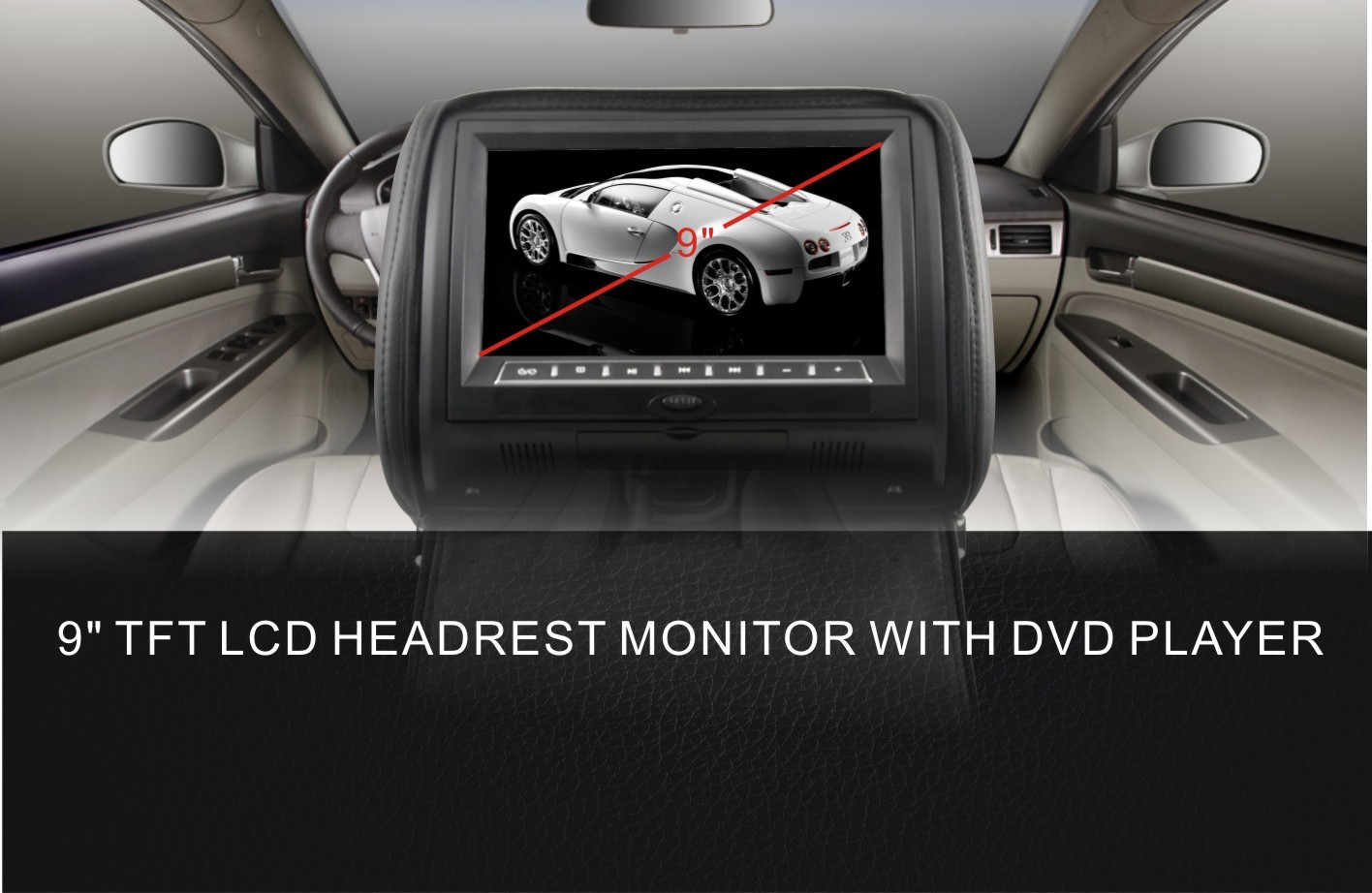
    <summary type="html"><![CDATA[<p><strong style="margin:0px;padding:0px;font-size:12px;font-family:'sans serif', tahoma, verdana, helvetica;line-height:18px;">9" HD LED Screen Dual IR FM, Games, Joysticks Car Headrest DVD Players With Innolux Digital Panel</strong></p>

<p style="margin:5px 0px;padding:0px;font-size:12px;font-family:'sans serif', tahoma, verdana, helvetica;line-height:18px;"><span style="margin:0px;padding:0px;font-size:14px;">1)Model No.:DV9823GR-PAKG(Headrest DVD)<br style="margin:0px;padding:0px;" />
2)9" HD LED screen,A grade new Innolux digital panel<br style="margin:0px;padding:0px;" />
3)High resolution,800(W)X3(RGB)X480(H)<br style="margin:0px;padding:0px;" />
4)System:PAL/NTSC<br style="margin:0px;padding:0px;" />
5)Display Mode: 16:9 wide view angle<br style="margin:0px;padding:0px;" />
6)Compatible MPEG4/DVD/DVCD/DVD+R/DVD-RW+DVD+R/VCD/CD/CD-R/MP3/JPEG<br style="margin:0px;padding:0px;" />
7)With Sony lens<br style="margin:0px;padding:0px;" />
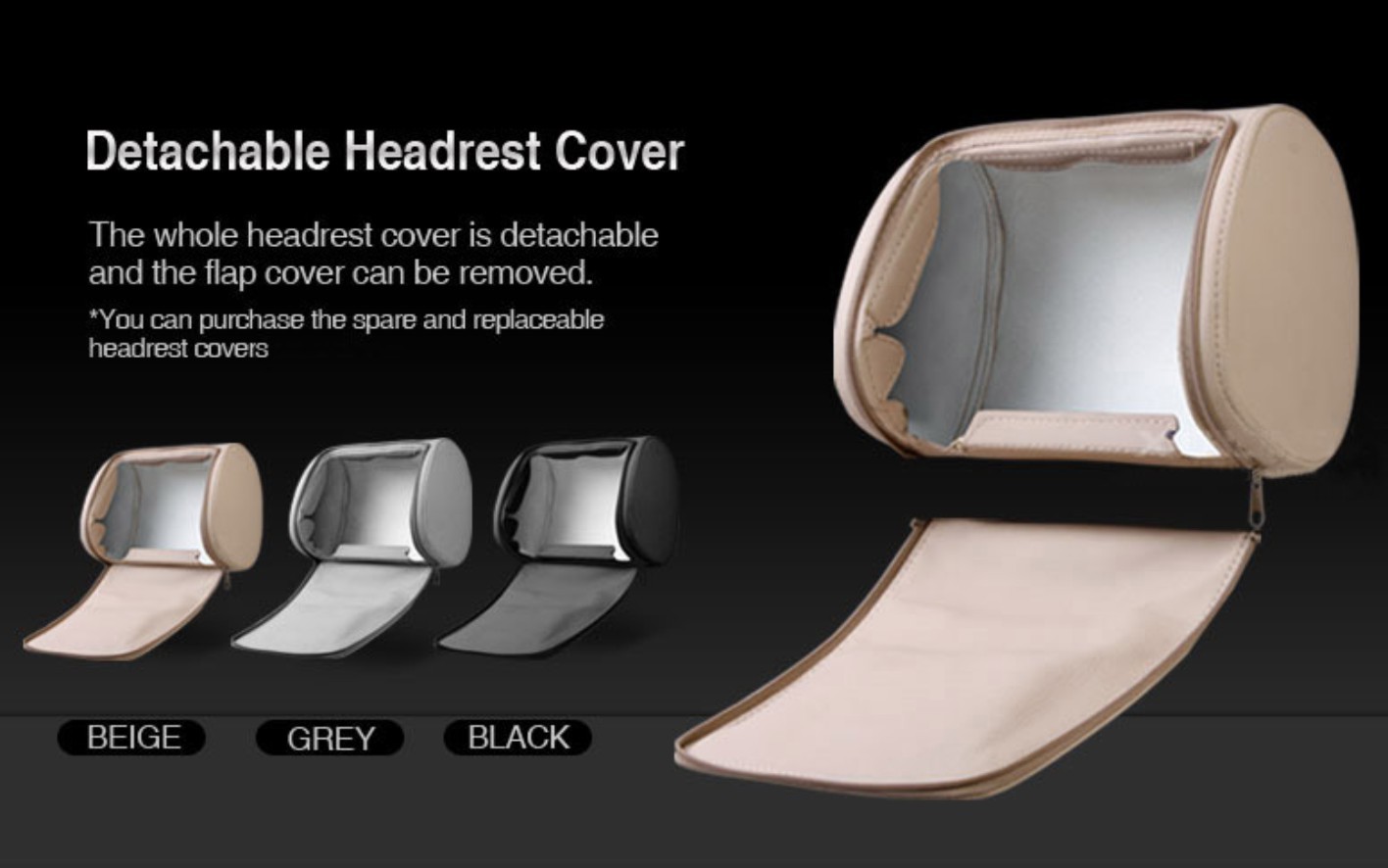
8)Can change leather zipper cover easily<br style="margin:0px;padding:0px;" />
9)Built-in 8 bit and 32 bit Game function,wireless joysticks included<br style="margin:0px;padding:0px;" />
10)With USB port and SD card slot(supports 8GB-16GB capacity)<br style="margin:0px;padding:0px;" />
11)Built in dual IR transmitter<br style="margin:0px;padding:0px;" />
12)Built in FM transmitter<br style="margin:0px;padding:0px;" />
13)Built in Dual powerful speakers<br style="margin:0px;padding:0px;" />
14)English OSD menu,Multi-language support<br style="margin:0px;padding:0px;" />
15)3 colors available:Beige,Black,Grey</span><br style="margin:0px;padding:0px;" /><br style="margin:0px;padding:0px;" />
 </p>

<p style="margin:5px 0px;padding:0px;font-size:12px;font-family:'sans serif', tahoma, verdana, helvetica;line-height:18px;"><span style="margin:0px;padding:0px;font-size:14px;"><strong style="margin:0px;padding:0px;">DV9823GR-PAKG Easy Way to Give Your Car Full Media Capabilities.</strong></span></p>

<p style="margin:5px 0px;padding:0px;font-size:12px;font-family:'sans serif', tahoma, verdana, helvetica;line-height:18px;"><br style="margin:0px;padding:0px;" /><span style="margin:0px;padding:0px;font-size:14px;">The DV9823GR-PAKG is a 9 inch LCD adjustable headrest monitor with built-in DVD player and more. Thanks to its ingenious design, you can watch DVDs, listen to MP3s, and even play video games on it -- you'll have a ready-built entertainment system that just slides right onto your car seat.<br style="margin:0px;padding:0px;" />
Simply put, the DV9823GR-PAKG is an easy way to give your friends and family everything they need to make long car trips fun, and it displays pictures in a crystal-clear 800 x 480 resolution, which means you get superior video quality at a great value. Available in three colors (Black, Gray, and Tan) to match your car’s interior. It can be swived to hide the screen inside and provide sun protection when it's not in use.<br style="margin:0px;padding:0px;" />
 <br style="margin:0px;padding:0px;" />
Your friends and family can play 32 exciting videogames, so you'll never run out of things to do<br style="margin:0px;padding:0px;" />
Comes With 32 Videogames and Wireless Controller<br style="margin:0px;padding:0px;" />
Featuring classic-style arcade games, platformers, and more, your passengers can play 32 action-packed videogames using the wireless controller that comes with the unit.</span><br style="margin:0px;padding:0px;" /><br style="margin:0px;padding:0px;" />
 </p>

<p style="margin:5px 0px;padding:0px;font-size:12px;font-family:'sans serif', tahoma, verdana, helvetica;line-height:18px;"><span style="margin:0px;padding:0px;font-size:14px;"><strong style="margin:0px;padding:0px;">Supports the Latest Digital Media Technology</strong></span></p>

<p style="margin:5px 0px;padding:0px;font-size:12px;font-family:'sans serif', tahoma, verdana, helvetica;line-height:18px;"><br style="margin:0px;padding:0px;" /><span style="margin:0px;padding:0px;font-size:14px;">With DVD-R/RW, CD-R/RW, and MP3/MP4 playback, you can watch movies and listen to music recorded right off your computer -- and with DivX support, you can enjoy your recorded movies in one of the highest-quality video formats available.<br style="margin:0px;padding:0px;" /><strong style="margin:0px;padding:0px;"> </strong></span><br style="margin:0px;padding:0px;" />
 </p>

<p style="margin:5px 0px;padding:0px;font-size:12px;font-family:'sans serif', tahoma, verdana, helvetica;line-height:18px;"><span style="margin:0px;padding:0px;font-size:14px;"><strong style="margin:0px;padding:0px;">Find out how our RCA connectors work</strong></span></p>

<p style="margin:5px 0px;padding:0px;font-size:12px;font-family:'sans serif', tahoma, verdana, helvetica;line-height:18px;"><br style="margin:0px;padding:0px;" /><span style="margin:0px;padding:0px;font-size:14px;">The DV9823GR-PAKG supports SD Cards and USB flash drives, so you can quickly load music and movies from your computer or other devices onto your card and play them back with ease. Just insert the card into the SD slot and you’ll have access to a wealth of entertainment options, all on one tiny disk.</span><br style="margin:0px;padding:0px;" /><br style="margin:0px;padding:0px;" />
 </p>

<p style="margin:5px 0px;padding:0px;font-size:12px;font-family:'sans serif', tahoma, verdana, helvetica;line-height:18px;"><span style="margin:0px;padding:0px;font-size:14px;"><strong style="margin:0px;padding:0px;">More Ways to Listen to Your Player</strong></span></p>

<p style="margin:5px 0px;padding:0px;font-size:12px;font-family:'sans serif', tahoma, verdana, helvetica;line-height:18px;"><br style="margin:0px;padding:0px;" /><span style="margin:0px;padding:0px;font-size:14px;">Play the DV9823GR-PAKG through Your Car’s Speaker System – All It Takes Is a Click of the Button<br style="margin:0px;padding:0px;" />
You can use the DV9823GR-PAKG through your car’s audio system without the hassle or cost of connecting the player to your car’s speaker system. Thanks to the built-in FM transmitter, all you need to do is tune to a radio station, and your entire vehicle can enjoy what’s being played.</span><br style="margin:0px;padding:0px;" /><br style="margin:0px;padding:0px;" />
 </p>

<p style="margin:5px 0px;padding:0px;font-size:12px;font-family:'sans serif', tahoma, verdana, helvetica;line-height:18px;"><span style="margin:0px;padding:0px;font-size:14px;"><strong style="margin:0px;padding:0px;">Watch Movies and Listen to Music with Wireless Headphones</strong></span></p>

<p style="margin:5px 0px;padding:0px;font-size:12px;font-family:'sans serif', tahoma, verdana, helvetica;line-height:18px;"><br style="margin:0px;padding:0px;" /><span style="margin:0px;padding:0px;font-size:14px;">The DV9823GR-PAKG also has a built-in IR transmitter, which lets you watch movies with IR-compatible wireless headphones -- so everyone can enjoy the ride in peace and quiet.</span><br style="margin:0px;padding:0px;" /><br style="margin:0px;padding:0px;" />
 </p>

<p style="margin:5px 0px;padding:0px;font-size:12px;font-family:'sans serif', tahoma, verdana, helvetica;line-height:18px;"><span style="margin:0px;padding:0px;font-size:14px;"><strong style="margin:0px;padding:0px;">Multiple RCA Connectors Let You Create a Mobile Entertainment System</strong></span></p>

<p style="margin:5px 0px;padding:0px;font-size:12px;font-family:'sans serif', tahoma, verdana, helvetica;line-height:18px;"><br style="margin:0px;padding:0px;" /><span style="margin:0px;padding:0px;font-size:14px;">The DV9823GR-PAKG comes with two video inputs and one set of stereo audio inputs. The extra video input cable lets you use your in-dash DVD player to play movies through the DV9823GR-PAKG, so the entire vehicle can watch the same movie, while audio is played through the vehicle's speakers. You can also connect a videogame console, iPod, or Blu-ray Player -- anything that uses composite video -- to the player at the same time.</span></p>

<p style="margin:5px 0px;padding:0px;font-size:12px;font-family:'sans serif', tahoma, verdana, helvetica;line-height:18px;"><img alt="" src="http://i.bosscdn.com/upload/105/671/2805618502.jpg" style="margin:0px;padding:0px;border:0px;vertical-align:top;height:auto;width:500px;" /><br style="margin:0px;padding:0px;" /><img alt="" src="http://i.bosscdn.com/upload/105/671/828661431.jpg" style="margin:0px;padding:0px;border:0px;vertical-align:top;height:auto;width:500px;" /><br style="margin:0px;padding:0px;" /><img alt="" src="http://i.bosscdn.com/upload/105/671/4112189231.jpg" style="margin:0px;padding:0px;border:0px;vertical-align:top;height:auto;width:500px;" /><br style="margin:0px;padding:0px;" /><img alt="" src="http://i.bosscdn.com/upload/105/671/1957069526.jpg" style="margin:0px;padding:0px;border:0px;vertical-align:top;height:auto;width:500px;" /><br style="margin:0px;padding:0px;" /><img alt="" src="http://i.bosscdn.com/upload/105/671/3536427338.jpg" style="margin:0px;padding:0px;border:0px;vertical-align:top;height:313px;width:500px;" /><br style="margin:0px;padding:0px;" /><img alt="" src="http://i.bosscdn.com/upload/105/671/3630855477.jpg" style="margin:0px;padding:0px;border:0px;vertical-align:top;height:auto;width:500px;" /><br style="margin:0px;padding:0px;" /><img alt="" src="http://i.bosscdn.com/upload/105/671/2345319532.jpg" style="margin:0px;padding:0px;border:0px;vertical-align:top;height:auto;width:500px;" /><br style="margin:0px;padding:0px;" /><img alt="" src="http://i.bosscdn.com/upload/105/671/423698972.jpg" style="margin:0px;padding:0px;border:0px;vertical-align:top;height:auto;width:500px;" /></p>

<p><a href="http://www.caravandvd.com" rel="nofollow">car dvd player headrest</a><br /><a href="http://www.cardvdonline.com" rel="nofollow">portable dvd player for car headrest</a></p>

<p> </p>

<p><a href="http://www.caravandvd.com" rel="nofollow">dvd player for car headrest</a></p>

<p><a href="http://www.cardvdonline.com" rel="nofollow">headrest dvd player for car</a><br /><a href="http://www.cardvdonline.com" rel="nofollow">car dvd headrest</a><br /><a href="http://www.cardvdonline.com" rel="nofollow">dual headrest dvd player for car</a><br /><a href="http://www.cardvdonline.com" rel="nofollow">portable car dvd player headrest</a><br /><a href="http://www.cardvdonline.com" rel="nofollow">dual portable dvd player for car headrest</a><br /><a href="http://www.cardvdonline.com" rel="nofollow">best portable dvd player for car headrest</a></p>

<p><a href="http://ww.cardvdonline.com" rel="nofollow">headrest dvd player</a><br /><a href="http://www.cardvdonline.com/headrest-dvd-player" rel="nofollow">dvd headrest</a><br /><a href="http://www.cardvdonline.com/headrest-dvd-player" rel="nofollow">headrest dvd</a><br /><a href="http://www.leddisplaysystem.com/" rel="nofollow">led display</a> <a href="http://www.leddisplaysystem.com/" rel="nofollow">led screen</a> <a href="http://www.jynxboxstore.com/" rel="nofollow">jynxbox store</a><br /><a href="http://www.dreamboxabc.com/dreambox-dm800-hd-se-with-wifi.php" rel="nofollow">dreambox dm800 hd se v2</a> <a href="http://www.securityalarmchina.com" rel="nofollow">alarm security system</a> <a href="http://www.dreamboxs.com/" rel="nofollow">dreambox dm7080</a> <a href="http://www.dreamboxs.com/sim-2.10-for-dreambox-dm800-hd-se.html" title="Dreambox SIM 2.10 card" rel="nofollow">SIM 2.1 card</a> <a href="http://www.dreamboxs.com/sim-a8p-card-for-dreambox-dm800-hd-se.html" title="Dreambox A8p card" rel="nofollow">A8p card </a> <a href="http://www.sunraystore.com" title="SUNRAY SR4 V2 HD SE SIM 2.2" rel="nofollow">SUNRAY SR4 V2 </a> <a href="http://www.sunraystore.com" rel="nofollow">SUNRAY SR4 800HD SE SIM </a> <a href="http://www.sunraystore.com" rel="nofollow">SUNRAY SR4 HD SE A8P card </a> <a href="http://www.sunraysat.com" rel="nofollow">SUNRAY DM800 SR4 HD SE </a> <a href="http://www.sunraystore.com" rel="nofollow">SUNRAY 800 HD SE A8P HDMI with WIFI </a> <a href="http://www.cardvdonline.com/headrest-dvd-player" rel="nofollow">car dvd player headrest</a><br /><a href="http://www.cardvdonline.com/headrest-dvd-player" rel="nofollow">car headrest dvd player</a><br /><a href="http://www.cardvdonline.com/headrest-dvd-player" rel="nofollow">headrest dvd players</a><br /><a href="http://www.cardvdonline.com/headrest-dvd-player" rel="nofollow">best headrest dvd player</a><br /><a href="http://www.cardvdonline.com/headrest-dvd-player" rel="nofollow">dvd player for car headrest</a><br /><a href="http://www.cardvdonline.com/headrest-dvd-player" rel="nofollow">headrest dvd player reviews</a><br /><a href="http://www.cardvdonline.com/headrest-dvd-player" rel="nofollow">cloth headrest dvd player</a><br /><a href="http://www.cardvdonline.com/headrest-dvd-player" rel="nofollow">cloth headrest monitors</a><br /><br /><a href="http://www.cardvdonline.com/headrest-dvd-player" rel="nofollow">best headrest monitors</a><br /><a href="http://www.cardvdonline.com/headrest-dvd-player" rel="nofollow">headrest dvd system</a><br /><a href="http://www.cardvdonline.com/headrest-dvd-player" rel="nofollow">dvd headrest player</a><br /><br /><a href="http://www.cardvdonline.com/headrest-dvd-player" rel="nofollow">headrest dvd player for car</a><br /><a href="http://www.cardvdonline.com/headrest-dvd-player" rel="nofollow">head rest dvd players</a><br /><a href="http://www.cardvdonline.com/headrest-dvd-player" rel="nofollow">headrests dvd</a><br /><br /><a href="http://www.cardvdonline.com/headrest-dvd-player" rel="nofollow">car blu ray player headrest</a><br /><br /><a href="http://www.cardvdonline.com/headrest-dvd-player%5D" rel="nofollow">baton dvd headrest</a><br /><br /><a href="http://www.cardvdonline.com/headrest-dvd-player" rel="nofollow">portable headrest dvd player</a><br /><a href="http://www.cardvdonline.com/headrest-dvd-player" rel="nofollow">car headrest dvd</a><br /><a href="http://www.cardvdonline.com/headrest-dvd-player" rel="nofollow">headrest dvd players for cars</a><br /><a href="http://www.cardvdonline.com/headrest-dvd-player" rel="nofollow">9 inch headrest dvd player</a><br /><a href="http://www.cardvdonline.com/headrest-dvd-player" rel="nofollow">dvd players in headrest</a><br /><br /><a href="http://www.cardvdonline.com/headrest-dvd-player" rel="nofollow">headrest with dvd player</a><br /><br /><a href="http://www.cardvdonline.com/headrest-dvd-player" rel="nofollow">headrest monitors installation</a><br /><a href="http://www.cardvdonline.com/headrest-dvd-player" rel="nofollow">ford headrest</a></p>]]></summary>
    <published>2016-04-20T06:08:00+03:00</published>
    <updated>2019-08-15T08:11:28+03:00</updated>
    <link rel="alternate" type="text/html" href="https://dvddrive.vuodatus.net/lue/2016/04/9-inch-headrest-dvd-players-with-innolux-digital-panel"/>
    <id>https://dvddrive.vuodatus.net/lue/2016/04/9-inch-headrest-dvd-players-with-innolux-digital-panel</id>
    <author>
      <name>pcdriver2011</name>
      <uri>https://dvddrive.vuodatus.net/</uri>
    </author>
  </entry>
  <entry>
    <title type="html"><![CDATA[10.1 inch Headrest Car DVD Player]]></title>
    <summary type="html"><![CDATA[<p>Product Description:</p>

<div>
<p align="left" style="color:rgb(0,0,0);font-family:Arial, Helvetica, sans-serif;font-size:12px;line-height:normal;"><strong>Basic Info.</strong></p>

<p align="left" style="color:rgb(0,0,0);font-family:Arial, Helvetica, sans-serif;font-size:12px;line-height:normal;">Model NO: dv1117<br />
10.1 " Ultra-thin HD LED Clip on Headrest DVD Player<br />
1)System:PAL/NTSC<br />
2)Display mode:16:9 wide screen<br />
3)High resolution:1024(W)*3(RGB)*600(H)<br />
4)Slot-in DVD loader(Anti-shock mechanism)<br />
5)DVD/CD/VCD/MP3/WMA/DivX/MPEG4 Playback System<br />
6)With HDMI input,support 1080P video display<br />
7)With USB 2.0 port/SD/MMC/MS Card Reader<br />
8)With Earphone jack<br />
9)Built in IR transmitter(2 Ch for Wireless Headphones)<br />
10)Built in Wireless FM Modulator(8 Ch for Audio Output)<br />
11)1 way Audio/Video input&amp;output<br />
12)Built in 8bit &amp; 32 bit wireless game, with joystick<br />
13)English OSD menu,Multi-language support<br />
14)Fully remote control<br />
15)Built in speaker<br />
16)Power supply:DC 12V</p>

<p style="color:rgb(0,0,0);font-family:Arial, Helvetica, sans-serif;font-size:12px;line-height:normal;"><strong>What is active headrest DVD</strong></p>

<p style="color:rgb(0,0,0);font-family:Arial, Helvetica, sans-serif;font-size:12px;line-height:normal;">If the headrests on your seats look like they're made by two joint pieces, they're most likely active headrests. Although some of the active headrests are in 'one-piece-design', they still have the 'active' feature.<br />
An active head restraint (or headrest) moves forward and upward in a rear-end collision to decrease the space between the restraint and the occupant's head, reducing the degree to which the head accelerates before making contact. The less acceleration, the lower the chance of injury.<br />
 </p>
<a href="http://www.caravandvd.com" rel="nofollow">car dvd player headrest</a><br /><a href="http://www.cardvdonline.com" rel="nofollow">portable dvd player for car headrest</a>

<p> </p>

<p><a href="http://www.caravandvd.com" rel="nofollow">dvd player for car headrest</a></p>

<p><a href="http://www.cardvdonline.com" rel="nofollow">headrest dvd player for car</a><br /><a href="http://www.cardvdonline.com" rel="nofollow">car dvd headrest</a><br /><a href="http://www.cardvdonline.com" rel="nofollow">dual headrest dvd player for car</a><br /><a href="http://www.cardvdonline.com" rel="nofollow">portable car dvd player headrest</a><br /><a href="http://www.cardvdonline.com" rel="nofollow">dual portable dvd player for car headrest</a><br /><a href="http://www.cardvdonline.com" rel="nofollow">best portable dvd player for car headrest</a></p>

<p><a href="http://ww.cardvdonline.com" rel="nofollow">headrest dvd player</a><br /><a href="http://www.cardvdonline.com/headrest-dvd-player" rel="nofollow">dvd headrest</a><br /><a href="http://www.cardvdonline.com/headrest-dvd-player" rel="nofollow">headrest dvd</a><br /><a href="http://www.leddisplaysystem.com/" rel="nofollow">led display</a> <a href="http://www.leddisplaysystem.com/" rel="nofollow">led screen</a> <a href="http://www.jynxboxstore.com/" rel="nofollow">jynxbox store</a><br /><a href="http://www.dreamboxabc.com/dreambox-dm800-hd-se-with-wifi.php" rel="nofollow">dreambox dm800 hd se v2</a> <a href="http://www.securityalarmchina.com" rel="nofollow">alarm security system</a> <a href="http://www.dreamboxs.com/" rel="nofollow">dreambox dm7080</a> <a href="http://www.dreamboxs.com/sim-2.10-for-dreambox-dm800-hd-se.html" title="Dreambox SIM 2.10 card" rel="nofollow">SIM 2.1 card</a> <a href="http://www.dreamboxs.com/sim-a8p-card-for-dreambox-dm800-hd-se.html" title="Dreambox A8p card" rel="nofollow">A8p card </a> <a href="http://www.sunraystore.com" title="SUNRAY SR4 V2 HD SE SIM 2.2" rel="nofollow">SUNRAY SR4 V2 </a> <a href="http://www.sunraystore.com" rel="nofollow">SUNRAY SR4 800HD SE SIM </a> <a href="http://www.sunraystore.com" rel="nofollow">SUNRAY SR4 HD SE A8P card </a> <a href="http://www.sunraysat.com" rel="nofollow">SUNRAY DM800 SR4 HD SE </a> <a href="http://www.sunraystore.com" rel="nofollow">SUNRAY 800 HD SE A8P HDMI with WIFI </a> <a href="http://www.cardvdonline.com/headrest-dvd-player" rel="nofollow">car dvd player headrest</a><br /><a href="http://www.cardvdonline.com/headrest-dvd-player" rel="nofollow">car headrest dvd player</a><br /><a href="http://www.cardvdonline.com/headrest-dvd-player" rel="nofollow">headrest dvd players</a><br /><a href="http://www.cardvdonline.com/headrest-dvd-player" rel="nofollow">best headrest dvd player</a><br /><a href="http://www.cardvdonline.com/headrest-dvd-player" rel="nofollow">dvd player for car headrest</a><br /><a href="http://www.cardvdonline.com/headrest-dvd-player" rel="nofollow">headrest dvd player reviews</a><br /><a href="http://www.cardvdonline.com/headrest-dvd-player" rel="nofollow">cloth headrest dvd player</a><br /><a href="http://www.cardvdonline.com/headrest-dvd-player" rel="nofollow">cloth headrest monitors</a><br /><br /><a href="http://www.cardvdonline.com/headrest-dvd-player" rel="nofollow">best headrest monitors</a><br /><a href="http://www.cardvdonline.com/headrest-dvd-player" rel="nofollow">headrest dvd system</a><br /><a href="http://www.cardvdonline.com/headrest-dvd-player" rel="nofollow">dvd headrest player</a><br /><br /><a href="http://www.cardvdonline.com/headrest-dvd-player" rel="nofollow">headrest dvd player for car</a><br /><a href="http://www.cardvdonline.com/headrest-dvd-player" rel="nofollow">head rest dvd players</a><br /><a href="http://www.cardvdonline.com/headrest-dvd-player" rel="nofollow">headrests dvd</a><br /><br /><a href="http://www.cardvdonline.com/headrest-dvd-player" rel="nofollow">car blu ray player headrest</a><br /><br /><a href="http://www.cardvdonline.com/headrest-dvd-player%5D" rel="nofollow">baton dvd headrest</a><br /><br /><a href="http://www.cardvdonline.com/headrest-dvd-player" rel="nofollow">portable headrest dvd player</a><br /><a href="http://www.cardvdonline.com/headrest-dvd-player" rel="nofollow">car headrest dvd</a><br /><a href="http://www.cardvdonline.com/headrest-dvd-player" rel="nofollow">headrest dvd players for cars</a><br /><a href="http://www.cardvdonline.com/headrest-dvd-player" rel="nofollow">9 inch headrest dvd player</a><br /><a href="http://www.cardvdonline.com/headrest-dvd-player" rel="nofollow">dvd players in headrest</a><br /><br /><a href="http://www.cardvdonline.com/headrest-dvd-player" rel="nofollow">headrest with dvd player</a><br /><br /><a href="http://www.cardvdonline.com/headrest-dvd-player" rel="nofollow">headrest monitors installation</a><br /><a href="http://www.cardvdonline.com/headrest-dvd-player" rel="nofollow">ford headrest</a></p>

<p style="color:rgb(0,0,0);font-family:Arial, Helvetica, sans-serif;font-size:12px;line-height:normal;"><strong>Why choose active headrest DVD</strong></p>

<p style="color:rgb(0,0,0);font-family:Arial, Helvetica, sans-serif;font-size:12px;line-height:normal;">Using a lever-action mechanism built into a seat, the active headrest redirects the force of an occupant's body as it presses into the backrest to move the head restraint forward. The beauty of this design is that it reacts proportionately to the occupant's motion. Unlike the type of pyrotechnic charge used in airbags and seat belt pretensions , the intensity of which may be too high or low - the active head restraints' motion is dictated by the occupant's size and weight and the severity of impact.<br />
Another reason is that most clients do not want to damage the original headrest pillow,so Active Headrest DVD would be the perfect choice.</p>

<p align="left" style="color:rgb(0,0,0);font-family:Arial, Helvetica, sans-serif;font-size:12px;line-height:normal;"> </p>

<p align="left" style="color:rgb(0,0,0);font-family:Arial, Helvetica, sans-serif;font-size:12px;line-height:normal;"><img alt="headrest dvd car player" src="http://www.cardvdonline.com/images/products/dv11171.jpg" style="border:none;" /></p>

<p align="left" style="color:rgb(0,0,0);font-family:Arial, Helvetica, sans-serif;font-size:12px;line-height:normal;"><img alt="headrest dvd car player" src="http://www.cardvdonline.com/images/products/dv1117-1.jpg" style="border:none;" /></p>

<p align="left" style="color:rgb(0,0,0);font-family:Arial, Helvetica, sans-serif;font-size:12px;line-height:normal;"><img alt="headrest dvd car player" src="http://www.cardvdonline.com/images/products/dv1117-2.jpg" style="border:none;" /></p>

<p align="left" style="color:rgb(0,0,0);font-family:Arial, Helvetica, sans-serif;font-size:12px;line-height:normal;"><img alt="headrest dvd car player" src="http://www.cardvdonline.com/images/products/dv1117-3.jpg" style="border:none;" /></p>
</div>]]></summary>
    <published>2016-04-20T06:07:00+03:00</published>
    <updated>2019-08-15T08:11:31+03:00</updated>
    <link rel="alternate" type="text/html" href="https://dvddrive.vuodatus.net/lue/2016/04/10-1-inch-headrest-car-dvd-player"/>
    <id>https://dvddrive.vuodatus.net/lue/2016/04/10-1-inch-headrest-car-dvd-player</id>
    <author>
      <name>pcdriver2011</name>
      <uri>https://dvddrive.vuodatus.net/</uri>
    </author>
  </entry>
  <entry>
    <title type="html"><![CDATA[How to Install a DVD R RW]]></title>
    <summary type="html"><![CDATA[ ]]></summary>
    <published>2013-03-01T10:51:00+02:00</published>
    <updated>2013-03-01T10:51:00+02:00</updated>
    <link rel="alternate" type="text/html" href="https://dvddrive.vuodatus.net/lue/2013/03/how-to-install-a-dvd-r-rw"/>
    <id>https://dvddrive.vuodatus.net/lue/2013/03/how-to-install-a-dvd-r-rw</id>
    <author>
      <name>pcdriver2011</name>
      <uri>https://dvddrive.vuodatus.net/</uri>
    </author>
  </entry>
  <entry>
    <title type="html"><![CDATA[How to Connect a Burner to Windows Media Player]]></title>
    <summary type="html"><![CDATA[<p><br />
How to Connect a Burner to Windows Media Player</p>
<p> </p>
<p>Your desktop computer may have multiple optical disc drives. You have the original CD drive for burning CDs. You installed a DVD drive to<a href="http://www.drives-storage.com.au" rel="nofollow">burn DVD </a>home movies. The PC could have at least two disc drives with drive letter assignments in the Windows operating system. These drives are also detected by Windows Media Player (WMP), which creates confusion when you only want to burn from one disc drive. Microsoft has included a step in the WMP CD burning process to help you choose the desired drive.</p>
<p> </p>
<p>Instructions</p>
<p><br />
1 <br />
Open WMP, then click "Switch to Library" button in the top-right corner of the window.</p>
<p>2 <br />
Click on the "Burn" tab in the "Player Library," then click the "Burn options" button to show a menu. Select "Audio CD" from the menu.</p>
<p>3 <br />
Insert a blank CD disc into the <a href="http://www.drives-storage.com.au" rel="nofollow">CD drive </a>that you want WMP to connect to for burning. Close the "AutoPlay" box if it opens up after inserting the disc.</p>
<p>4 <br />
Click on the CD drive in the "Navigation Pane" to instruct WMP to use it for burning a disc.</p>
<p>5 <br />
Drag songs from the "Player Library" in the center pane to the list pane on the right side of WMP. Click the "Start burn" button to begin burning the disc in the selected CD drive.</p>
<p> </p>
<p> </p>]]></summary>
    <published>2011-11-10T08:42:01+02:00</published>
    <updated>2019-08-15T08:11:34+03:00</updated>
    <link rel="alternate" type="text/html" href="https://dvddrive.vuodatus.net/lue/2011/11/how-to-connect-a-burner-to-windows-media-player-1"/>
    <id>https://dvddrive.vuodatus.net/lue/2011/11/how-to-connect-a-burner-to-windows-media-player-1</id>
    <author>
      <name>pcdriver2011</name>
      <uri>https://dvddrive.vuodatus.net/</uri>
    </author>
  </entry>
  <entry>
    <title type="html"><![CDATA[How to Fix the 360 Open Tray Error]]></title>
    <summary type="html"><![CDATA[<p><br />
How to Fix the 360 Open Tray Error</p>
<p><br />
Did you recently become the victim of the Xbox 360 open tray error? If so, you're going to find it fairly frustrating to get it working again. Rather than send it off to Microsoft for 8 weeks, I'll give you some pointers on how to fix it  <a href="http://www.drives-storage.com.au" rel="nofollow">DVd drive burner</a></p>
<p>Instructions</p>
<p><br />
1 <br />
The first thing that you want to do is restart your console. If you can't restart, simply unplug your console, and plug it back in.</p>
<p>2 <br />
The next thing you want to do is check all the cables on the back of your Xbox. If you have to, pull out each one, and put them back in place.  <a href="http://www.drives-storage.com.au" rel="nofollow">DVd Burner</a></p>
<p>3 <br />
The next step you'll want to try is by removing the hard drive, and putting it back in. If you have another one laying around, try placing that one instead to see if that works.</p>
<p>4 <br />
If you've been trying the open disk error with the same game, try putting in a newer game. It may be the game's problem.</p>
<p>5 <br />
The last thing that you want to try BUT keep in mind that it's going to void your warranty, so do it at your own risk! You'll want to open up your Xbox, clean out the dust on the inside, and clean the<a href="http://www.drives-storage.com.au" rel="nofollow">DVD </a>lenses with a Q TIP, or a cotton bud.</p>
<p> </p>
<p>Tips &amp; Warnings<br />
If none of these tips work, follow the video below.</p>
<p>Don't open up your Xbox if you want to void your warranty</p>
<p> </p>
<p> </p>]]></summary>
    <published>2011-11-10T08:39:01+02:00</published>
    <updated>2019-08-15T08:11:38+03:00</updated>
    <link rel="alternate" type="text/html" href="https://dvddrive.vuodatus.net/lue/2011/11/how-to-fix-the-360-open-tray-error"/>
    <id>https://dvddrive.vuodatus.net/lue/2011/11/how-to-fix-the-360-open-tray-error</id>
    <author>
      <name>pcdriver2011</name>
      <uri>https://dvddrive.vuodatus.net/</uri>
    </author>
  </entry>
  <entry>
    <title type="html"><![CDATA[How to Burn DVD Images as Files to a Hard Drive So the DVD Software Can Play]]></title>
    <summary type="html"><![CDATA[<p><br />
How to Burn DVD Images as Files to a Hard Drive So the DVD Software Can Play</p>
<p> </p>
<p>If you have a DVD image on your hard drive that you want to use without burning it to a physical disc, you need to mount the disc. When you mount a disc image, it hosts the content of that disc virtually on your hard drive and presents the data as if the original disc had been inserted into your disc drive. This is useful if you have made backups of DVDs and want to use the backup without burning another copy of the disc, or alternatively don't want to insert a disc.</p>
<p> </p>
<p><br />
Instructions<br />
Virtual CloneDrive<br />
1 <br />
Download and install Virtual CloneDrive.</p>
<p>2 <br />
Click "Start," then "Computer."</p>
<p>3 <br />
Right-click the "Virtual CloneDrive" drive and click "Virtual CloneDrive," then click "Mount."</p>
<p>4 <br />
Locate and double-click your DVD image.</p>
<p>Gizmo Drive<br />
1 <br />
Download and install Gizmo Drive.</p>
<p>2 <br />
Open Gizmo Drive from the Start menu.</p>
<p>3 <br />
Click "Mount ISO, BIN, VHD to virtual drive."</p>
<p>4 <br />
Locate and open your DVD image.</p>
<p>Magic ISO Virtual<a href="http://www.drives-storage.com.au" rel="nofollow">CD/DVD Drive</a><br />
1 <br />
Download and install Magic ISO Virtual <a href="http://www.drives-storage.com.au" rel="nofollow">CD/DVD Drive</a>.</p>
<p>2 <br />
Right-click the icon for Magic ISO Virtual CD/DVD Drive in the system tray.</p>
<p>3 <br />
Click "Virtual CD/DVD-ROM."</p>
<p>4 <br />
Click the empty drive, click "Mount."</p>
<p>5 <br />
Locate and open your DVD image</p>
<p> </p>
<p> </p>]]></summary>
    <published>2011-11-10T08:35:01+02:00</published>
    <updated>2019-08-15T08:11:45+03:00</updated>
    <link rel="alternate" type="text/html" href="https://dvddrive.vuodatus.net/lue/2011/11/how-to-burn-dvd-images-as-files-to-a-hard-drive-so-the-dvd-software-can-play"/>
    <id>https://dvddrive.vuodatus.net/lue/2011/11/how-to-burn-dvd-images-as-files-to-a-hard-drive-so-the-dvd-software-can-play</id>
    <author>
      <name>pcdriver2011</name>
      <uri>https://dvddrive.vuodatus.net/</uri>
    </author>
  </entry>
  <entry>
    <title type="html"><![CDATA[How to Burn a DVD DL on a Super Multi Drive]]></title>
    <summary type="html"><![CDATA[<p><br />
How to Burn a DVD DL on a Super Multi Drive</p>
<p> </p>
<p>Multi-format combo drives, also known as super multi drives, are computer optical drives that are capable of recording data in multiple formats across many types of optical mediums. One of the less common mediums used today is that of a DVD-DL. DVD-DL is a special type of DVD disc which has two recording layers built in and allows for nearly double the data capacity of single layer discs. Recording onto these disc types with a multi-drive is an easy process which any computer user can accomplish</p>
<p><a href="http://www.drives-storage.com.au" rel="nofollow">DVD Burner Drives</a><br />
Instructions</p>
<p>1 <br />
Insert a blank DVD-DL into your super multi drive.</p>
<p>2 <br />
Locate the files you wish you burn. You may do this using a data burning software such as Ahead Nero Burning Rom or simply by dragging and dropping the files onto the drive's folder icon.</p>
<p>3 <br />
Check the total size of the files to be burned. If the total size is less than 4.7 GB it is recommended you use a normal single layer disc as <a href="http://www.drives-storage.com.au" rel="nofollow">DVD-DL </a>discs are significantly more expensive.</p>
<p>4 <br />
Begin the burn process with your software or by clicking the "Burn files to DVD" button located at the top of the drive's content listing window.  <a href="http://www.drives-storage.com.au" rel="nofollow">Cd DVD Drive</a></p>
<p>5 <br />
Wait until the burn process is complete. This may take several minutes to several hours depending on the speed of your multi drive and DVD media. Both burning options will provide you with a progress screen which will present you with an estimated time until completion.  <a href="http://www.drives-storage.com.au" rel="nofollow">DVd Cd Burner</a></p>
<p>6 <br />
Remove the<a href="http://www.drives-storage.com.au" rel="nofollow">DVD-DL </a>disc. The DVD will automatically be ejected upon successful completion of the burn process</p>
<p>more info:<br />
 </p>
<p><a href="http://www.drives-storage.com.au" rel="nofollow">http://www.drives-storage.com.au</a></p>
<p> </p>]]></summary>
    <published>2011-11-10T08:30:01+02:00</published>
    <updated>2019-08-15T08:11:53+03:00</updated>
    <link rel="alternate" type="text/html" href="https://dvddrive.vuodatus.net/lue/2011/11/how-to-burn-a-dvd-dl-on-a-super-multi-drive"/>
    <id>https://dvddrive.vuodatus.net/lue/2011/11/how-to-burn-a-dvd-dl-on-a-super-multi-drive</id>
    <author>
      <name>pcdriver2011</name>
      <uri>https://dvddrive.vuodatus.net/</uri>
    </author>
  </entry>
  <entry>
    <title type="html"><![CDATA[How to Convert an Internal DVD Burner to External]]></title>
    <summary type="html"><![CDATA[<p>How to Convert an Internal <a href="http://www.drives-storage.com.au" rel="nofollow">DVD Burner </a>to External</p>
<p>An external DVD burner offers advantages over an internal drive, including portability and the convenience of being able to use it with multiple computers. External drives sold online and in stores, however, tend to cost more than internal models. Instead of buying a whole new drive, you can convert an internal DVD recorder that you already own into an external model by purchasing an external drive enclosure. Besides being cheaper, this solution also allows you to toggle between an internal and external drive, if you ever need to in the future.</p>
<p>Instructions</p>
<p>1</p>
<p><br />
Examine the internal <a href="http://www.drives-storage.com.au" rel="nofollow">DVD recorder </a>to see whether it uses an IDE or SATA interface. An IDE interface consists of a long, thin, rectangular port with 40 pins, whereas the smaller SATA port features a recessed groove that resembles a backwards "L." Use either an IDE- or SATA-compatible optical drive enclosure, depending on the internal drive's interface.</p>
<p> 2</p>
<p><br />
Set the jumper on the back of the<a href="http://www.drives-stoarge.com.au" rel="nofollow">DVD drive </a>to the "Master" setting. This applies only if the drive uses an IDE interface. Typically, drive manufacturers include graphical instructions on the top of IDE drives that illustrate how to set the jumper to the "Master" setting. Because the jumper itself is small, use a pair of tweezers to move it to the proper position.</p>
<p> 3</p>
<p><br />
Open the external drive enclosure by using a screwdriver to remove the protective case. With the cover removed, slide the DVD drive into the case.</p>
<p> 4</p>
<p><br />
Connect the case's internal power connector, audio cable and IDE or SATA cable to the appropriate ports on the back of the DVD drive.</p>
<p> 5</p>
<p><br />
Screw the drive into place, using the support screws included with the external enclosure. Then reattach the enclosure's protective case and secure it with the screws you previously removed.</p>
<p> 6</p>
<p><br />
Attach your new external <a href="http://www.drives-storage.com.au" rel="nofollow">DVD burner </a>to the computer using the USB cable included with the enclosure. Plug the enclosure into an electrical outlet with the included power cable. Then turn the drive on by pressing the power switch on the back of the enclosure.</p>
<p> 7</p>
<p><br />
Turn on the computer. Click the "Start" menu in the bottom left corner of the Windows desktop and then select "My Computer." Windows will automatically detect the new drive, so you should see a drive letter assigned for the external DVD recorder</p>
<p><br />
Tips &amp; Warnings<br />
 </p>
<p>Static electricity can damage computer equipment, so wear an antistatic wrist strap whenever you work on a computer or handle an internal component.</p>
<p> </p>]]></summary>
    <published>2011-11-02T07:37:01+02:00</published>
    <updated>2019-08-15T08:12:04+03:00</updated>
    <link rel="alternate" type="text/html" href="https://dvddrive.vuodatus.net/lue/2011/11/how-to-convert-an-internal-dvd-burner-to-external"/>
    <id>https://dvddrive.vuodatus.net/lue/2011/11/how-to-convert-an-internal-dvd-burner-to-external</id>
    <author>
      <name>pcdriver2011</name>
      <uri>https://dvddrive.vuodatus.net/</uri>
    </author>
  </entry>
</feed>